Showing posts sorted by relevance for query Debian. Sort by date Show all posts

Debian Linux 7.0 Code Named 'Wheezy' Released & Available For Download

Debian Linux 7.0 Code Named 'Wheezy' Released & Added  Multiarch Support, Several Specific Tools

Once it was one of the most popular Linux distribution which have drawn the maximum attention, yes you are right I am talking about none other than Debian Linux. Now a days the craze of this flavor has became little fade but as the foundation for other, more popular Linux distributions, such as Mint, Ubuntu and few Pen Testing Distro, still the value of Debian exist. So the up-gradation and new release of this Linux flavor is  still very much important. And today I will talk about the new release of Debian Linux version 7.0 code named 'Wheezy'. After many months of constant development, the developers at Debian project proudly announced the general availability of the next version of this major Linux which is Debian 7.0 aka 'Wheezy'. According to the release note This new version of Debian includes various interesting features such as multiarch support, several specific tools to deploy private clouds, an improved installer, and a complete set of multimedia codecs and front-ends which remove the need for third-party repositories. Multiarch support, one of the main release goals for Wheezy, will allow Debian users to install packages from multiple architectures on the same machine. This means that you can now, for the first time, install both 32- and 64-bit software on the same machine and have all the relevant dependencies correctly resolved, automatically. The installation process has been greatly improved: Debian can now be installed using software speech, above all by visually impaired people who do not use a Braille device. Thanks to the combined efforts of a huge number of translators, the installation system is available in 73 languages, and more than a dozen of them are available for speech synthesis too. In addition, for the first time, Debian supports installation and booting using UEFI for new 64-bit PCs (amd64), although there is no support for Secure Boot yet. 

This Release Includes Numerous Updated Software Packages, Such as:-
  • Apache 2.2.22
  • Asterisk 1.8.13.1
  • GIMP 2.8.2
  • An updated version of the GNOME desktop environment 3.4
  • GNU Compiler Collection 4.7.2
  • Icedove 10 (an unbranded version of Mozilla Thunderbird)
  • Iceweasel 10 (an unbranded version of Mozilla Firefox)
  • KDE Plasma Workspaces and KDE Applications 4.8.4
  • kFreeBSD kernel 8.3 and 9.0
  • LibreOffice 3.5.4
  • Linux 3.2
  • MySQL 5.5.30
  • Nagios 3.4.1
  • OpenJDK 6b27 and 7u3
  • Perl 5.14.2
  • PHP 5.4.4
  • PostgreSQL 9.1
  • Python 2.7.3 and 3.2.3
  • Samba 3.6.6
  • Tomcat 6.0.35 and 7.0.28
  • Xen Hypervisor 4.1.4
  • The Xfce 4.8 desktop environment
  • X.Org 7.7

Along with these more than other 36,000 ready-to-use software packages, built from nearly 17,500 source packages also included in Debian Linux 7.0. So after reading all those cool features, what you are waiting for lets download the installation image via bittorrent (the recommended method), jigdo, or HTTP


SHARE OUR NEWS DIRECTLY ON SOCIAL NETWORKS:-

Debian 6.0: 6.0.2 Released


The Debian project is pleased to announce the second update of its stable distribution Debian 6.0 (codename squeeze). This update mainly adds corrections for security problems to the stable release, along with a few adjustments to serious problems. Security advisories were already published separately and are referenced where available. Please note that this update does not constitute a new version of Debian 6.0 but only updates some of the packages included. There is no need to throw away 6.0 CDs or DVDs but only to update via an up-to-date Debian mirror after an installation, to cause any out of date packages to be updated. Those who frequently install updates from security.debian.org won't have to update many packages and most updates from security.debian.org are included in this update. New installation media and CD and DVD images containing updated packages will be available soon at the regular locations. Upgrading to this revision online is usually done by pointing the aptitude (or apt) package tool (see the sources.list(5) manual page) to one of Debian's many FTP or HTTP mirrors. A comprehensive list of mirrors is available at:

SHARE OUR NEWS DIRECTLY ON SOCIAL NETWORKS:-

5 "Uncommon" Linux Distributions

 CrunchBang

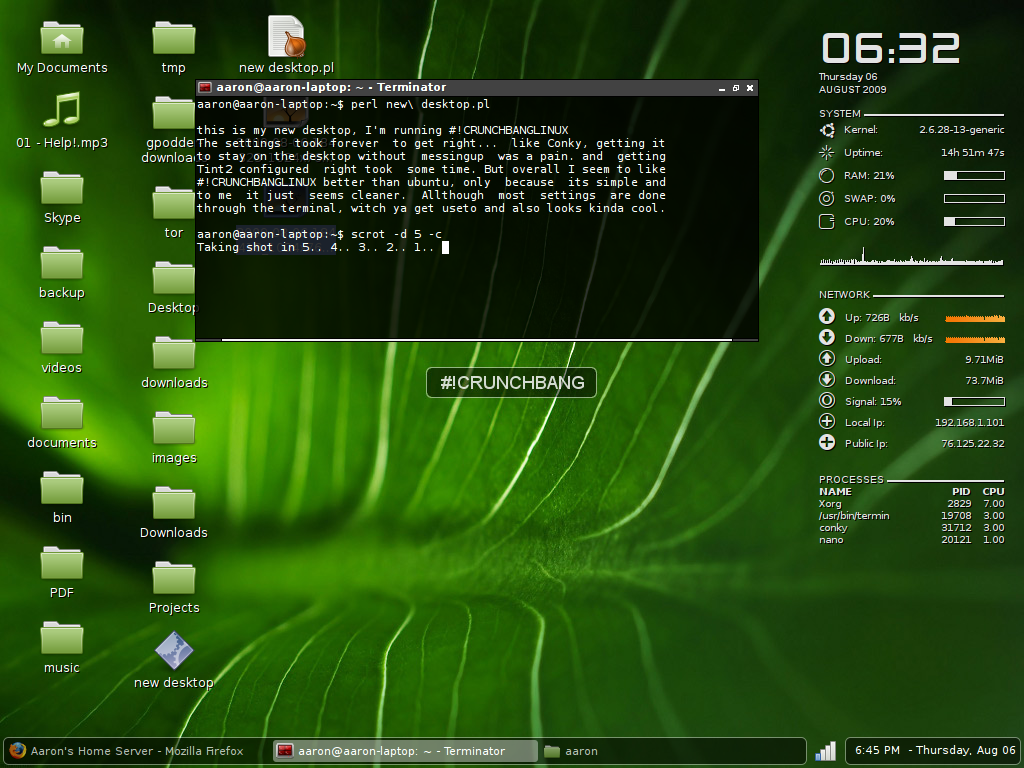
CrunchBang it's a minimalistic distribution based on Debian 6.
Why minimalistic ?
The default Desktop Environment it's Openbox, that for people used to Gnome or KDE it's a big difference, you don't have Icons, fancy graphical effects (compiz anyone? ) or even a menu in one of the corners that show all your programs.
You get a clean, black and white desktop, on the right side you have the live statistics of your resources usage, and the list of commands you can use (example, super + l to lock screen).
I've been amazed by the low use of resource of this distribution, 50 MB after you login into your desktop, so you can use all of your resource for your applications. It's also perfect for old computers with just 256 MB of Ram.
Così si pensa, ok, ma probabilmente sarà riempito con piccoli programmi inutili,niente mi può davvero usare per il mio ufficio / lavoro o tempo libero.
Wrong !
There is already a good number of software that you can use to do your usual things, like Chromium as browser or Gimp as Image Editor or VLC for the multimedia; also, as stated, this distribution is based on Debian 6, so you can have Openoffice, Mozilla 4 or many others programs.
If you have enough of the big Desktop environment this one is for you.

 Gentoo

I've fall in love with Gentoo in 2004, and we are still together.
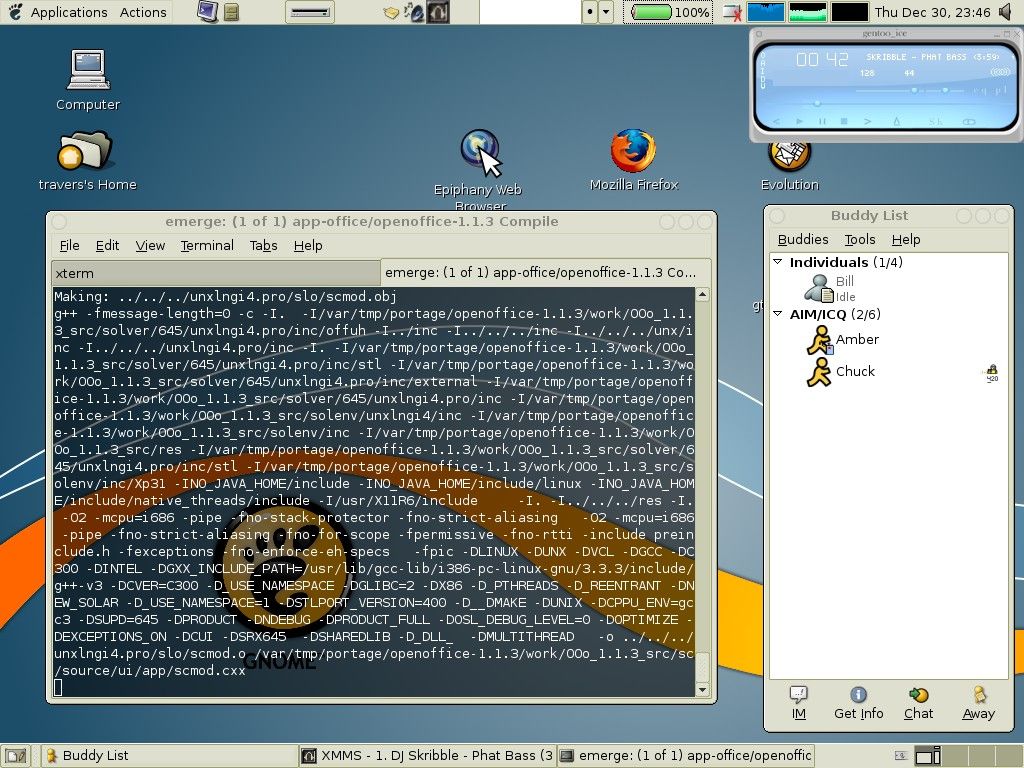
In Gentoo the binary packages are not available (there are some exceptions for big package). Each package must be downloaded and compiled on the PC of the user with the flags he has choose, so that you get from each package the best performance, or at least this is the theory.
While in the years I've saw that some of my programs have better start up time respect of precompiled distributions this is usually due to the fact that you can select every single aspect of each package, so as example you could choose that your Multimedia player support avi,ogg and divx only, so probably you have fast performance and a quick startup time but less codec; so for me the main attractive of Gentoo is total customization, and after that speed.
In any case, the good thing is that each new update is released when available. This approach makes Gentoo a distribution always updated, this distribution don't has release cycle like Ubuntu and Fedora, but is called "rolling" it means that it's constantly updated.
For example i keep the same installation from 2004 to 2008 on my previous computer, just updating packages when they come out, and during all that time i moved from kernel 2.4 to 2.6 and made a lot of change in every package, still the distribution keeped it's consistency.
The package management is efficient and easy to use. On the other hand, the installation of newsystems and large packages can be very tedious, even with a very fast processor, so if you want to approach this great distro...take your time, be patient and at the end you'll have learnt a lot more of GNU/Linux.

 Pinguy OS

 
it's more or less the opposite of Gentoo, a distribution to make things easy to the beginners.
This OS is for people that have never used Linux before or for people that just want an out-of-the-box working OS without doing all the tweaks and enhancements that everyone seems to do when installing a fresh copy of Ubuntu or other Linux based Distro's. 
So all the programs in Pinguy OS have been chosen because of their ease of use and functionality, I also changed every file type to open with the right program, like for some reason by default .iso are opened with Archive Manager so I changed that to Brasero Disc Burner.
All the multimedia codecs are there. So there is Oracle Java and Adobe Flash player.

Pinguy OS also helps reduce your carbon footprint because it runs Granola in the background. Granola is a free tool that helps reduce the power consumption of your computer without affecting its performance. 
So this distro is really suggested if you are not used to Linux or don't want to spend time in tweaking/configuration


Aptosid

 
is an operating system based on the Debian GNU/Linux unstable branch, codenamed sid. The project stems from criticism by users of Debian Linux newbies (too difficult toinstall, configure and maintain, requiring the use of console commands or editing configuration files) are the basis of Aptosid, whose purpose is to offer tools and support to make Debian Sid easy to configure and stable enough for the user desktop for the professional. Aptosid supports 32 and 64 bit architectures, graphical user interface KDE or Xfce, lite or full version.
The full ISO is around 2gb, but it has really everything, both for new and expert users. Despite its size, loading from a live dvd is really fast and stable, just like his distro "mother" Debian.
if you like Debian, but want updated software this is a good choice for sure.


Bodhi Linux

 
This is a fresh new project, Bodhi is a minimalistic, enlightened (the Desktop Environment), Linux desktop. Bodhi is built on top of an Ubuntu 10.04 core, using the latest, elegant Enlightenment desktop, all accessed by the light weight LXDM login manager. Bodhi uses dpkg and apt-get for package management.
Bodhi Linux is a very minimal Ubuntu based Linux distro with Enlightenment(E17) as the default desktop(window manager). Standard ISO size is just around 350MB and the latest release is based on Ubuntu 10.04 "Lucid Lynx". System requirements will tell you the whole story. Bodhi Linux requires just 1.5GB HD space, 300mhz i386 Processor and just 128MB of RAM! Thats how minimal things can get.
One of the first things you are going to notice while logging into Bodhi Linux is a prompt that will ask you to choose the theme and the applications you would like to have in your desktop as default.
Dock application at the bottom is called “Shelf” and like Docky or AWN, Shelf is quite easy to use and configure. Bodhi Linux has Nautilus as the default file browser and also has Synaptic Package Manager as a default option. Nautilus in Bodhi Linux is already powered by awesome Nautilus Elementary hack.

SHARE OUR NEWS DIRECTLY ON SOCIAL NETWORKS:-

Debian GNU/Linux 6.0.5 Released

Debian GNU/Linux 6.0.5 Released

Developers at Debian project is pleased to announce the fifth update of its stable distribution Debian 6.0 codenamed squeeze. According to the project release this update mainly adds corrections for security problems to the stable release, along with a few adjustments for serious problems. Security advisories were already published separately and are referenced where available. If you have Debian 6.0.x already installed, it is not necessary to reinstall, you only need to install all the latest updates from your nearest mirror site. 

What's new in Debian GNU/Linux 6.0.2:-
  • aide Properly support large files on 32-bit systems; fix group for bind9 log files
  • approx Don't try caching InRelease or non-.gz compressed files
  • apr Fix apr_ino_t changing size depending on -D_FILE_OFFSET_BITS on kfreebsd-*
  • apt Fix file size calculation on big-endian arches; don't prompt for CD re-insertion on "apt-get update"; add XZ support
  • apt-listchanges Correctly handle NEWS files containing only one entry
  • base-files Update /etc/debian_version
  • clive Adapt for liveleak.com changes
  • dbus Fix local DoS for system services (CVE-2011-2200)
  • deborphan Exclude libreoffice from --guess-section output; trap WINCH in a POSIX way; minor translation fixes
  • dokuwiki Fix an ACL bypass issue in the XMLRPC interface
  • dpkg Fix regression in 'dpkg-divert --rename'; dpkg-split: don't corrupt metadata on 32-bit systems; fix vsnprintf() compat declaration
  • e2fsprogs Various bug fixes
  • fakechroot Fix 'debootstrap --variant=fakechroot'
  • fcgiwrap Fix init script's 'stop' target
  • gdm3 Reset SIGPIPE handler before starting the session; execute the PostSession script even when GDM is killed or shut down
  • git Allow remove and purge in one step by terminating the git-daemon/log service before removing the gitlog user
  • gnome-settings-daemon Work around possible race condition when starting Xsettings manager
  • ia32-libs Refresh packages from stable and proposed-updates.
  • iceowl Security updates
  • im-config Avoid breaking login via GDM if im-config is removed but not purged
  • inn Stop using 'sort +1n' in makehistory; disable outdated CHECK_INCLUDED_TEXT option by default
  • josm Give more verbose explanation to users who haven't agreed to the new OSM license
  • kde4libs Wildcard SSL certificate and XSS security fixes; ktar checksum and UTF-8 longlink fixes
  • kdenetwork Improve fix for CVE-2010-1000 directory traversal issue
  • kernel-wedge Add hpsa and pm8001 to scsi-extra-modules; add bna to nic-extra-modules
  • kerneltop Increase line buffer size to 1024 bytes
  • klibc ipconfig: escape DHCP options and correctly handle multiple connected network devices (CVE-2011-1930)
  • krb5 Fix DoS; fix interoperability with w2k8r2 KDCs; fix invalid free and double free; don't make authentication fail if PAC verification fails
  • kupfer Use correct parameter type to allow keybindings to work again
  • libapache2-mod-perl2 Rebuild against apr 1.4.2-6+squeeze3 to pick up apr_ino_t size fix on kFreeBSD
  • libburn Don't create images with overly-restrictive permissions
  • libfinance-quotehist-perl Disable test suite, broken by website changes
  • libmms Fix alignment issues on arm
  • linux-2.6 New hardware support; add longterm 2.6.32.41; fix oops via corrupted partition tables
  • linux-kernel-di-amd64-2.6 Rebuild against kernel-wedge 2.74+squeeze3
  • linux-kernel-di-armel-2.6 Rebuild against kernel-wedge 2.74+squeeze3
  • linux-kernel-di-i386-2.6 Rebuild against kernel-wedge 2.74+squeeze3
  • linux-kernel-di-ia64-2.6 Rebuild against kernel-wedge 2.74+squeeze3
  • linux-kernel-di-mips-2.6 Rebuild against kernel-wedge 2.74+squeeze3
  • linux-kernel-di-mipsel-2.6 Rebuild against kernel-wedge 2.74+squeeze3
  • linux-kernel-di-powerpc-2.6 Rebuild against kernel-wedge 2.74+squeeze3
  • linux-kernel-di-s390-2.6 Rebuild against kernel-wedge 2.74+squeeze3
  • linux-kernel-di-sparc-2.6 Rebuild against kernel-wedge 2.74+squeeze3
  • lua-expat Fix the 'billion laughs' DoS attack
  • monkeysphere Fix monkeysphere-host revoke-key
  • nagios-plugins Allocate a big enough buffer to handle all IPs of hosts being pinged
  • nsd3 Remove statoverride before removing the package's user
  • openldap Fix possible database corruption issues, several security issues and dpkg-reconfigure
  • php-svn Rebuild against apr 1.4.2-6+squeeze3 to pick up apr_ino_t size fix on kFreeBSD
  • php5 Rebuild against apr 1.4.2-6+squeeze3 to pick up apr_ino_t size fix on kFreeBSD
  • pianobar Update API keys for XMLRPC v30
  • postgresql-8.4 New upstream bugfix release; fix pg_upgrade use with TOAST tables
  • prosody Fix the 'billion laughs' DoS attack
  • puppet Fix service provider to properly use update-rc.d disable API
  • python-apt Strip multiarch by default in RealParseDepends; add XZ support
  • python-gudev Add missing dependency on python-gobject
  • q4wine Stop shipping the library in lib64
  • qemu Don't register qemu-mips(el) with binfmt on mips(el)
  • qemu-kvm Fix division by 0 with some guests; fix vnc zlib overflow; don't abort on user hardware errors; fix migration on 32-bit
  • qt4-x11 Blacklist some fraudulent SSL certificates; fix weakness in wildcard certificate verification
  • rapidsvn Rebuild against apr 1.4.2-6+squeeze3 to pick up apr_ino_t size fix on kFreeBSD
  • refpolicy Various permissions fixes
  • reprepro Handle Release files which don't contain md5sums
  • ruby1.8 Fix upgrades from lenny by making libruby1.8 conflict/replace irb1.8 and rdoc1.8
  • samba Fix undefined symbol error from tdb2.so; several printing related bugs and a gid leak in winbind / idmap. Document the new and potentially disruptive 'map untrusted to domain'
  • schroot Fix loading of dchroot.conf
  • softhsm Remove statoverride entries before the package's user
  • sun-java6 New upstream security update
  • tzdata New upstream version
  • vimperator Resolve compatibility issues with iceweasel
  • widelands Fix potential security issue in Internet games
  • xenomai Adapt kernel patch to apply cleanly to squeeze's kernel
  • xserver-xorg-video-tseng Fix driver initialisation

To Download Debian 6.0 codenamed "squeeze" Click Here
  

-Source (Softpedia, Debian Project)

SHARE OUR NEWS DIRECTLY ON SOCIAL NETWORKS:-

Linux Mint Debian 201109 Final (Gnome & Xfce) Released!


Linux Mint Debian 201109 Final Edition (Gnome & Xfce) Released.

What is LMDE:-
  • Linux Mint Debian Edition (LMDE) is a rolling distribution based on Debian Testing.
  • It’s available in both 32 and 64-bit as a live DVD with Gnome or Xfce.
  • The purpose of LMDE is to look identical to the main edition and to provide the same functionality while using Debian as a base.

What’s new in this Release:-
  • All Linux Mint 11 features
  • Installer improvements (keyboard variants, locale, bug fixes, UUID in fstab)
  • Update Packs, dedicated Update Manager and staged repositories
  • GTK2/GTK3 theme compatibility
  • Updated software and packages
Multi-core and multi-CPU support in 32-bit kernel:-

To guarantee compatibility with non-PAE processors, the 32-bit versions of Linux Mint Debian come with a 486 kernel by default. This kernel does not support SMP, and as a consequence is only able to detect one core and one CPU. If your CPU has multiple cores, or if you have more than one CPU, simply install the 686-PAE kernel and reboot your computer.

To download LMDE Click Here

SHARE OUR NEWS DIRECTLY ON SOCIAL NETWORKS:-

Knoppix 7.0.1 With Kernel 3.3.7, LXDE, ADRIANE & Iceweasel 10

Knoppix 7.0.1 With Kernel 3.3.7, LXDE, ADRIANE & Iceweasel 10

Klaus Knopper, creator of Knoppix officially declared the general availability of its popular Live Linux distribution - Knoppix 7.0.1. This release includes a number of improvements and package upgrades, while removing proprietary packages, such as Adobe Reader. Version 7.0.1 of Knoppix is based on the usual picks from Debian stable (squeeze) and newer Desktop packages from Debian/testing and Debian/unstable (wheezy). It uses kernel 3.3.7 and LXDE (Lightweight X11 Desktop Environment) as its default desktop environment. The DVD version of Knoppix also includes a choice of GNOME 3.4 or KDE SC 4.7.4 (the current release is KDE SC 4.8.3 from early May), and additional packages such as VirtualBox 4.1.4. Package upgrades include version 3.5.3 of the LibreOffice productivity suite, Wine 1.5.4, Chromium 18 and Iceweasel 10, the re-branded version of the Firefox web browser for Debian. It now has version 1.4 of the open source ADRIANE (Audio Desktop Reference Implementation and Networking Environment) talking menu system for blind users. Other changes include better support for Broadcom Wi-Fi chipsets and experimental support for automatically detecting graphics cards with composite 3D extensions for the Compiz window manager. A full list of changes and new features can be found in the release notes.


To Download Knoppix 7.0.1 Click Here


SHARE OUR NEWS DIRECTLY ON SOCIAL NETWORKS:-

Whonix -Anonymous Operating System Based on Debian/GNU Linux & Tor

Whonix -Anonymous Operating System Based on Debian/GNU Linux & Tor 

Whonix, which is earlier called TorBOX or aos; now been reintroduced with a new style. This time we got a complete anonymous general purpose Operating System based on Virtual Box, Debian GNU/Linux and Tor.  According to the project wiki page - in Whonix IP and DNS leaks are impossible. Not even malware with root rights can find out the user's real IP/location. This is because Whonix consists of two virtual machines. One machine solely runs Tor and acts as a gateway, which we call Whonix-Gateway. The other machine, which we call Whonix-Workstation, is on a completely isolated network. Only connections through Tor are possible. 

We request our reader to See Security for a more comprehensive description, security features and threat model. You can even go through with full change log and also download the source code from github

Key Features:- 

  • Adobe Flash anonymously
  • browse the web anonymously
  • Anonymous IRC
  • Anonymous Publishing
  • Anonymous E-Mail with Mozilla Thunderbird and TorBirdy
  • Add a proxy behind Tor (Tor -> proxy)
  • Based on Debian GNU/Linux.
  • Based on the Tor anonymity network.
  • Based on Virtual Box.
  • Can torify almost any application.
  • Can torify any operating system
  • Can torify Windows.
  • Chat anonymously.
  • Circumvent Censorship.
  • DNSSEC over Tor
  • Encrypted DNS
  • Full IP/DNS protocol leak protection.
  • Hide the fact that you are using Tor/Whonix
  • Isolating Proxy
  • Java anonymously
  • Javascript anonymously
  • Location/IP hidden servers
  • Prevents anyone from learning your IP.
  • Prevents anyone from learning your physical location.
  • Private obfuscated bridges supported.
  • Protects your privacy.
  • Protocol-Leak-Protection and Fingerprinting-Protection
  • Secure And Distributed Time Synchronization Mechanism
  • Security by Isolation
  • Stream isolation to prevent identity correlation through circuit sharing
  • Virtual Machine Images
  • VPN/Tunnel Support
  • Whonix is produced independently from the Tor (r) anonymity software and carries no guarantee from  The Tor Project about quality, suitability or anything else.
  • Transparent Proxy
  • Tunnel Freenet through Tor
  • Tunnel i2p through Tor
  • Tunnel JonDonym through Tor
  • Tunnel Proxy through Tor
  • Tunnel Retroshare through Tor
  • Tunnel SSH through Tor
  • Tunnel UDP over Tor
  • Tunnel VPN through Tor
To Download Whonix-0.4.5 Click Here. Before download please note that Whonix is produced independently from the Tor anonymity software and carries no guarantee from The Tor Project about quality, suitability or anything else. 


SHARE OUR NEWS DIRECTLY ON SOCIAL NETWORKS:-

NetbootCD 4.5 (Install Many Linux Distributions From One Disk)


NetbootCD is a GNU/Linux live CD based on Tiny Core Linux. The live CD allows the user to download and run one of several Linux netboot installers, which can install a full GNU/Linux system with only a hard drive and Internet connection.
Several of the distributions supported by NetbootCD are prerelease distributions (such as Debian testing) or development distributions (openSUSE Factory, Fedora Rawhide, Debian sid.) Because NetbootCD downloads the latest installer, which in turn downloads the latest system components, you can install a fully up-to-date system without burning a new CD.

The following distributions are install-able from the current Netboot CD:-

  • Ubuntu
  • Debian GNU/Linux (standard and daily installers)
  • Fedora
  • openSUSE
  • Mandriva Linux
  • CentOS
  • Slackware
To download Netboot CD Click Here


SHARE OUR NEWS DIRECTLY ON SOCIAL NETWORKS:-

The World's Safest Browser: BitBox


There is no such thing as an entirely secure browser. Let's be realistic: You will always need a good portion of common sense and Internet smarts to avoid nasty attacks hijacks.

However, if you are paranoid about security, there is one browser that will reliably protect you from virtually all threats. It's a browser you already know: Firefox 4.0.1. Well, a boxed version of Firefox 4.0.1.
I am not exactly an adventurous Internet user as far as the dark corners of the web are concerned. Just I am not the kind of person to enjoy the silence in a dark alley in Chicago's south suburbs after dawn, I typically avoid websites I don't generally trust. I have had my fair share of spyware, trojans and other malware that caused me quite a bit of headache in the past and I am just more cautious than I was 10 years ago. Yet, that might change. I have just discovered a bulletproof wrapper for Firefox and, at least for now, I don't care that much anymore what is happening below the content the browser shows. There might be lots of malware and I really don't care anymore.
The reason is that I have started using BitBox as my browser for my general work-related tasks. BitBox is essentially a heavily armored version of Firefox 4.0.1 that is encased in Oracle's VirtualBox virtual machine (VM) environment that houses a secured Debian 6 Linux OS. That sounds relatively complicated, but once it is installed, this secure version of Firefox works just like a regular version of the browser. The difference is that it runs in a virtualized environment that is separate from your Windows XP/Vista/7.

The upside clearly is that you are dealing with a self-contained package. If you click on malicious malware, the usual EXE files cannot be executed in your Linux VM. You can download files, but they will not explicitly affect your Windows system and need to be manually moved out of the VM, if you have connected the drives. malware that infects Firefox during your session is automatically deleted the next time you start BitBox, as it always starts with its default configuration in the way it was installed. However, phishing attacks that target your personal data and may trick you in providing critical information will still require some common sense not to do so and will not protect you from the effects of such actions.
There are a few downsides. First, it is a hefty 990 MB download and the installed software will require almost 2 GB of space, as there is a need for Oracle's VirtualBox that is included in the package as well as a Debian 6 installation. Since the software is set back to a default level at every time it starts, it is not the most convenient browser to be used on an every day basis for the consumer. The deal breaker is its language. The software was developed for the German government and while it is available as a free download, it is only available in German. Unless you have basic knowledge of German, the installation will be a hurdle too high to overcome and even then it may be rather uncomfortable to be generally used.
The installation of the entire package is documented via PDF file and is somewhat straight forward, but some knowledge about virtual machines and virtualization in general does help when the individual components of the software are installed. In the end, you really want to know what is happening on your PC and you would want to know what effects a configured virtual drive on your PC has. Other than that, I was able to install BitBox within 15 minutes, once it was downloaded. The only criticism I would have is that developer Sirrix is not using the most recent version of Oracle's Virtual Box software (4.04 vs. 4.06). Custom configuration options include a specific download folder as well as a separate malware scanner as well as random root passwords for the virtual machine and proxy settings. During the installation, the software installs a Linux guest (Firefox) inside Virtual Box. Typically you would run the software form within VirtualBox, but Sirrix has managed to trim down the entire process to a single icon on the desktop.
I briefly mentioned it - this is not a browser to get deeply emotional about and discuss its performance features, but the concept is very compelling as far as browser safety is concerned. Plain browsing tasks make a lot of sense in such a package. In fact, I wonder, why such versions aren't offered by Mozilla and Google as well as Opera and Microsoft by default. 

SHARE OUR NEWS DIRECTLY ON SOCIAL NETWORKS:-

GUI suite for phishing attacks (ghost-phisher)


GUI suite for phishing attacks for Fake DNS, Fake DHCP, Fake HTTP, Credential Harvester.Ghost-phisher is updated and has many latest tool included.
Ghost Phisher is a computer security application that comes inbuilt with a Fake DNS Server, Fake DHCP Server, Fake HTTP server and also has an integrated area for automatic capture and logging of HTTP form method credentials to a database. The program could be used as an honey pot , could be used to service DHCP request , DNS requests or phishing attacks

Requirements:
  • python,
  • python-qt4,
  • dhcp3-server,
  • ettercap-gtk
Currently supports debian, ubuntu systems only.
Software Icons can be found at the application Menu of the GNOME desktop interfaces


root@host:~# dpkg -i Ghost-Phisher_1.2_all.deb

Icon can also be found at /usr/share/applications for KDE and also GNOME:
There you find “Ghost Phisher.desktop”
Download Ghost Phisher v1.2 here

SHARE OUR NEWS DIRECTLY ON SOCIAL NETWORKS:-

Countdown Begins, Ubuntu 11.10 (Oneiric Ocelot) Will be Available Within Few Hours


It has been six months in the making and has occupied the time of a cast of thousands, finally the Debian derived GNU/Linux distribution we have all been waiting for is here. Ubuntu 11.10 the Oneiric Ocelot is released on October 13th. Finally that day came. But we need to wait a little more to fell the 11.10 oneiric Ocelot. 
VOGH talked with Ubuntu  developer Team about this release and accroding to them:-
"Today we release Ubuntu 11.10: Oneiric Ocelot after a busy six months of work. Thank you to everyone who participated in this release and put their brick in the wall. We had many wonderful contributions from developers, testers, translators, authors, advocates, accessibility folks, marketeers, programmers, governors, and more. I am looking forward to seeing the release hit the tubes. :-)
This week I have been in London all week for the release week, and it has been a hectic, but useful week. I also used this week to take advantage of the timezone and hop on the phone with some community members on this side of the pond. Thanks to all those for the calls.
Speaking of this side of the pond, I am excited to be able to go to the London release party which takes place tonight on Thu 13th Oct 2011 from 6.30pm at The Cask Pub at 6 Charlwood Street, Pimlico, London, SW1V 6EE. Thanks to the Ubuntu UK team for putting together the party, and it looks like there will be a great crowd there."

All VOGH readers Please check out the event here and register if you plan on coming so the team has an idea of numbers.

Oneiric Release Schedule
  • June 2nd Alpha 1
  • June 30th Alpha 2
  • August 4th Alpha 3
  • September 1st Beta 1
  • September 22nd Beta 2
  • October 13th Ubuntu 11.10
Oneiric will be the second release of Ubuntu to be made available on the 13th, the last being Ubuntu 5.10 Breezy Badger way back in 2005.

Release Schedule of Ubuntu:-
  • Ubuntu 4.10 20th October
  • Ubuntu 5.10 13th October
  • Ubuntu 6.10 26th October
  • Ubuntu 7.10 18th October
  • Ubuntu 8.10 30th October
  • Ubuntu 9.10 29th October
  • Ubuntu 10.10 10th October

10 of the new features implemented in the Ubuntu 11.10 (Oneiric Ocelot):-
1. Breathtaking login manager (a.k.a login screen or display manager)
2. Lots of Unity launcher, Unity Dash, and Unity panel improvements, including smart application finder when dragging different files, unread counters for Mozilla Firefox, Mozilla Thunderbird, Empathy and Pidgin, and smart search in Dash.
3. Awesome backup up tool, called Deja Dup, that will backup and restore all the files (yes, including the hidden ones) in your home folder.
4. Mozilla Thunderbird 7.0 as the default email client (replacing Evolution Mail and Calendar, which has been completely removed from the system).
5. Mozilla Firefox 7.0 as the default web browser!
6. Brand-new ALT+Tab functionality that will work across multiple desktops.
7. Improved office suite - LibreOffice 3.4
8. Easily access various settings straight from the Unity panel, to setup your monitor, bluetooth devices, startup applications, printers, USB devices, and system updates.
9. Simplified and good looking file manager - Nautilus 3
10. Breathtaking Ubuntu Software Center!

-News Source (Ubuntu)


SHARE OUR NEWS DIRECTLY ON SOCIAL NETWORKS:-

Another DoS fix for Apache HTTP server


The update of the Apache HTTP Server (httpd) to version 2.2.18 earlier this month to close a denial of service (DoS) problem appears to have exposed a related DoS vulnerability. The developers have nowreleased httpd 2.2.19 to fix this new problem which has been rated as moderately critical; however, as with the previous DoS vulnerability, it requires that mod_autoindex is enabled in the web server.
It appears that the updated Apache Portable Runtime (APR) 1.4.4 – which was bundled with the server to correct the denial of service vulnerability – could cause httpd workers to enter a 100% CPU utilising hung state when calling apr_fnmatch. An update to APR, version 1.4.5, which resolves the issue has been released by the APR developers and is bundled with Apache HTTP Server 2.2.19. Users can upgrade to httpd 2.2.19 or, if running httpd 2.2.17 or earlier, work around the denial of service problem by using the "IgnoreClient" option of the "IndexOptions". The problem was first noted and tracked on Debian mailing lists.
The developers also took the opportunity to fix an inadvertently changed function signature for ap_unescape_url_keep2f which had broken binary compatibility with some third party modules. The 2.2.19 update to httpd is available to download from the project's download page. The updated APR 1.4.5 is also available for download for developers who use the library in other projects.

SHARE OUR NEWS DIRECTLY ON SOCIAL NETWORKS:-

Infondlinux: Install Useful Security Tools and Firefox Addons!


infondlinux is a script that installs most of tools, that we use during penetration tests and capture the flag tournaments. It is a post configuration script for Ubuntu Linux. We can also install it on other *nix system but not all of the below mentioned tools may work depending on environment. It has been actively tested on Ubuntu 10.10.
It installs useful security tools and Firefox addons. Tools installed by script are listed at the beginning of source code, which we can edit as per our requirement.
List of security tools included:
Debian packages:

  • imagemagick
  • vim
  • less
  • gimp
  • build-essential
  • wipe
  • xchat
  • pidgin
  • vlc
  • nautilus-open-terminal
  • nmap
  • zenmap
  • sun-java6-plugin et jre et jdk
  • bluefish
  • flash-plugin-nonfree
  • aircrack-ng
  • wireshark
  • ruby
  • ascii
  • webhttrack
  • socat
  • nasm
  • w3af
  • subversion
  • mercurial
  • libopenssl-ruby
  • ruby-gnome2
  • traceroute
  • filezilla
  • gnupg
  • rubygems
  • php5
  • libapache2-mod-php5
  • mysql-server
  • php5-mysql
  • phpmyadmin
  • extract
  • p0f
  • spikeproxy
  • ettercap
  • dsniff :
    • arpspoof Send out unrequested (and possibly forged) arp replies.
    • dnsspoof forge replies to arbitrary DNS address / pointer queries on the Local Area Network.
    • dsniff password sniffer for several protocols.
    • filesnarf saves selected files sniffed from NFS traffic.
    • macof flood the local network with random MAC addresses.
    • mailsnarf sniffs mail on the LAN and stores it in mbox format.
    • msgsnarf record selected messages from different Instant Messengers.
    • sshmitm SSH monkey-in-the-middle. proxies and sniffs SSH traffic.
    • sshow SSH traffic analyser.
    • tcpkill kills specified in-progress TCP connections.
    • tcpnice slow down specified TCP connections via “active” traffic shaping.
    • urlsnarf output selected URLs sniffed from HTTP traffic in CLF.
    • webmitm HTTP / HTTPS monkey-in-the-middle. transparently proxies.
    • webspy sends URLs sniffed from a client to your local browser
  • unrar
  • torsocks
  • secure-delete
  • nautilus-gksu
  • sqlmap
Third party packages:
  • tor
  • tor-geoipdb
  • virtualbox 4.0
  • google-chrome-stable
Manually downloaded software’s and versions:
  • DirBuster (1.0RC1)
  • truecrypt (7.0a)
  • metasploit framework (3.6)
  • webscarab (latest)
  • burp suite (1.3.03)
  • parosproxy (3.2.13)
  • jmeter (2.4)
  • rips (0.35)
  • origami-pdf (latest)
  • pdfid.py (0.0.11)
  • pdf-parser.pym (0.3.7)
  • fierce (latest)
  • wifite (latest)
  • pyloris (3.2)
  • skipfish (1.86 beta)
  • hydra (6.2)
  • Maltego (3.0)
  • SET
Author made scripts:
  • hextoasm
  • md5crack.py (written by Corbiero)
  • chartoascii.py
  • asciitochar.py
  • rsa.py
Firefox extensions:
  • livehttpheaders
  • firebug
  • tamperdata
  • noscript
  • flashblock
  • flashgot
  • foxyproxy
  • certificatepatrol
  • chickenfoot 1.0.7
Pretty good list of applications we must say.
How to install?
1
sudo infondlinux.sh
or
1
sh infondlinux.sh
Download infondlinux v0.5 (infondlinux.sh) here

SHARE OUR NEWS DIRECTLY ON SOCIAL NETWORKS:-

sqlsus v0.7 (SQL Injection and Takeover Tool)


sqlsus is an open source MySQL injection and takeover tool, written in perl. Via a command line interface, you can retrieve the database(s) structure, inject your own SQL queries (even complex ones), download files from the web server, crawl the website for writable directories, upload and control a backdoor, clone the databases, and much more. sqlsus is an open source (My)SQL injection tool, written in perl. It focuses on speed and efficiency, optimising the available injection space. It provides an easy to use interface with lots of neat features.

Features of Sqlsus v0.7:-
  • Added time-based blind injection support (added option “blind_sleep”, and renamed “string_to_match” to “blind_string”).
  • It is now possible to force sqlsus to exit when it’s hanging (i.e.: retrieving data), by hitting Ctrl-C more than twice.
  • Rewrite of “autoconf max_sendable”, so that sqlsus will properly detect which length restriction applies (WEB server / layer underneath). (removed option “max_sendable”, added options “max_url_length” and “max_inj_length”)
  • Uploading a file now sends it into chunks under the length restriction.
  • sqlsus now saves variables after each command, so that forcing it to quit (or killing it) will not discard the changes that were made.
  • Added a progress bar to inband mode, sqlsus now determines the number of rows to be returned prior to fetching them.
  • get db (tables/columns) in inband mode now uses multithreading (like everything else).
  • clone now uses count(*) if available (set by “get count” / “get db”), instead of using fetch-ahead.
  • In blind mode, “start” will now test if things work the way they should, by injecting 2 queries : one true and one false.
  • sqlsus now prints what configuration options are overridden (when a saved value differs from the configuration file).
To Download sqlsus (My SQL Injection Tool) 

SHARE OUR NEWS DIRECTLY ON SOCIAL NETWORKS:-

Related Posts Plugin for WordPress, Blogger...