Showing posts sorted by relevance for query KDE. Sort by date Show all posts

KDE 4.9 Released With Improved Stability & Performance

KDE 4.9 Released With Improved Stability & Performance

Earlier in January we got KDE 4.8, so after eight moths of wait now the KDE Developers team has announced its latest set of releases, providing major updates to KDE Plasma Workspaces, KDE Applications, and the KDE Platform. Version 4.9 provides many new features, along with improved stability and performance. This release is dedicated to the memory of KDE contributor Claire Lotion. Claire's vibrant personality and enthusiasm were an inspiration to many in many opensource community, and her pioneering work on the format. The KDE Quality Team was set up earlier this year with a goal to improve the general levels of quality and stability in KDE software. Special attention was given to identifying and fixing regressions from previous releases. This was a top priority because it ensures improvement with each release. As a result of the efforts of the KDE Quality Team, the 4.9 Releases are the best ever.
One particular bugfix deserves special attention. An Okular bug reported in 2007 had gotten nearly 1100 votes; it was important to many users. They complained about making annotations and not being able to save or print them. With the assistance of many commenters and people on the Okular IRC channel, Fabio D’Urso implemented a solution that allows Okular PDF document annotations to be saved and printed. The fix required some work on KDE libraries and attention to overall design to ensure that non-PDF documents worked right. 

The most notable include:-
  • The Dolphin file manager includes back and forward buttons, inline file renaming, and the ability to show metadata like ratings, tags, image size, file size, date, and more. You can also sort files by these metadata properties, which is awesome. It also includes a better Places panel, improved search, and better integration with the Terminal.
  • The Konsole terminal now includes the ability to change directory when you drag and drop a folder into the window, detach tabs by dragging them out of the window, and more.
  • Activities, the feature that helps you separate your work from your play, is now a bit more powerful, letting you link certain files to each workspace. You can also encrypt certain activities for more private work.
  • The KWin window manager now has better performance all around, as well as a few improvements here and there with certain effects like Wobby Windows.

To Download KDE 4.9 Click Here

-Source (KDE & lh)


SHARE OUR NEWS DIRECTLY ON SOCIAL NETWORKS:-

KDE 4.8 Released With Updated Plasma Workspaces, Applications & Platform

KDE 4.8 Released With Updated Plasma Workspaces, Applications & Platform
After long wait finally the KDE developers have published version 4.8.0 of the KDE Software Compilation (KDE SC). The major update to the open source K Desktop Environment includes changes to the KDE Platform itself as well as the KDE Applications and Plasma Workspaces.Before this final release the developers have gone through with many experimental release such as KDE 4.8 Beta 1, KDE 4.8 Release Candidate. This release promise more features, functionality, stability, ease of use and so. 
The Dolphin file manager in KDE SC 4.8.0 is said to be much "faster and prettier" thanks to a new display engine that works better with large directories; it also no longer truncates displayed filenames. The Gwenview image viewer has been fine-tuned to improve its ease of use with a translucent navigation area that makes scrolling easier when zoomed in. The Kate text editor includes new features such as a Search & Replace plugin, and the Okular document viewer now has advanced text selection features


The Marble virtual globe has also been greatly enhanced with KRunner integration and the ability to view elevation profiles, track satellites, and import OpenStreetMap files in vector format.Further information is available of the release note.

To Download KDE Click Here


-Source (KDE.org)


SHARE OUR NEWS DIRECTLY ON SOCIAL NETWORKS:-

KDE is Celebrating Its 15th Birthday Party


On October 14, 1996, Matthias Ettrich posted a message to Usenet (comp.os.linux.misc), announcing "Programmers wanted!" for a "New Project: Kool Desktop Environment (KDE)". Now, 15 years later, Matthias’s dream of a "GUI for an ENDUSER" has been fully realized. And more. Sometime in the next 2 weeks, Plasma Active One will be released, extending Matthias's plan for a "modern interface" with a "common look & feel" to a range of enduser devices from desktop to mobile. KDE has grown beyond a Linux Desktop GUI to a global community of people. But it still has the same innovative spirit and a commitment to serving users of Free and Open Source Software.
KDE, the "K Desktop Environment", is celebrating its fifteenth birthday today, and the KDE community has announced a global party. The announcement includes suggestions for what to do – host a local party, test 15 bugs, hang out at #kde on freenode IRC – and a request to send plans and photos of the celebrations to 15@kde.org. KDE Spain has taken an alternative approach by holding four smaller parties on the evening of 14 October in Málaga, Castellón, Barcelona and Coruña.

For more information and to be a part of this celebration Click Here
& to download KDE latest version Click Here

-News Source (KDE)


SHARE OUR NEWS DIRECTLY ON SOCIAL NETWORKS:-

KDE 4.8 Release Candidate With Secret Service Is Available


After the release of KDE 4.8 Beta 1 now the KDE developer released the first release candidate for its renewed Workspaces, Applications, and Development Platform. With API, dependency and feature freezes in place, the KDE team's focus is now on fixing bugs and further polishing new and old functionality. Compared to Beta1, RC1 contains hundreds of fixes.

Highlights of 4.8 :-

  • Qt Quick in Plasma Workspaces -- Qt Quick is making its way into the Plasma Workspaces, the new Plasma Components provide a standardized API implementation of widgets with native Plasma Look and Feel. The device notifier widget has been ported to using these components and is now written in pure QML. KWin's window switcher is now also QML-based, paving the way for newly designed window switchers.
  • Dolphin's file view has been rewritten for better performance, scalability and more attractive visual appearance.
  • KSecretService optionally enables a shared password storage, therefore making your saved passwords available to many other applicatios, leading to a more secure system and better integration of non-KDE apps into the Plasma Workspaces and KDE apps into non-Plasma workspaces.
  • Many performance improvements and bugfixes improve the overall user experience, making the KDE Applications and Workspaces more productive and fun to use than ever before.


To Download KDE 4.8 Release Candidate Click Here


SHARE OUR NEWS DIRECTLY ON SOCIAL NETWORKS:-

Linux Mint 12 KDE Arrived

 Linux Mint 12 KDE Arrived 
Earlier we have discussed about Linux Mint many times. In December 2011 the developer of Linux Mint released Linux Mint 12 codenamed “Lisa”. Now the team has announced the availability of Linux Mint 12 KDE. 

Main Features:- 
  • KDE 4.7.4
  • Hybrid ISO images
  • Search engines
  • Upstream components

New and updated packages include version 8.0 of the Thunderbird email client, Firefox 8.0, LibreOffice 3.4.3, version 2.4.3 of the Amarok music player and organiser, and VLC 1.1.12. Like the GNOME edition, it includes DuckDuckGo as its default search engine; the move comes as part of the project's first income-raising partnership. The new version is also the project's first KDE release to be available to download as Hybrid ISO images, which can be used to create a bootable USB drive using the dd command. A tutorial for installing Linux Mint via USB is provided.  

For Additional Information & To Download Linux Mint 12 KDE Click Here


-Source (Linux Mint) 

SHARE OUR NEWS DIRECTLY ON SOCIAL NETWORKS:-

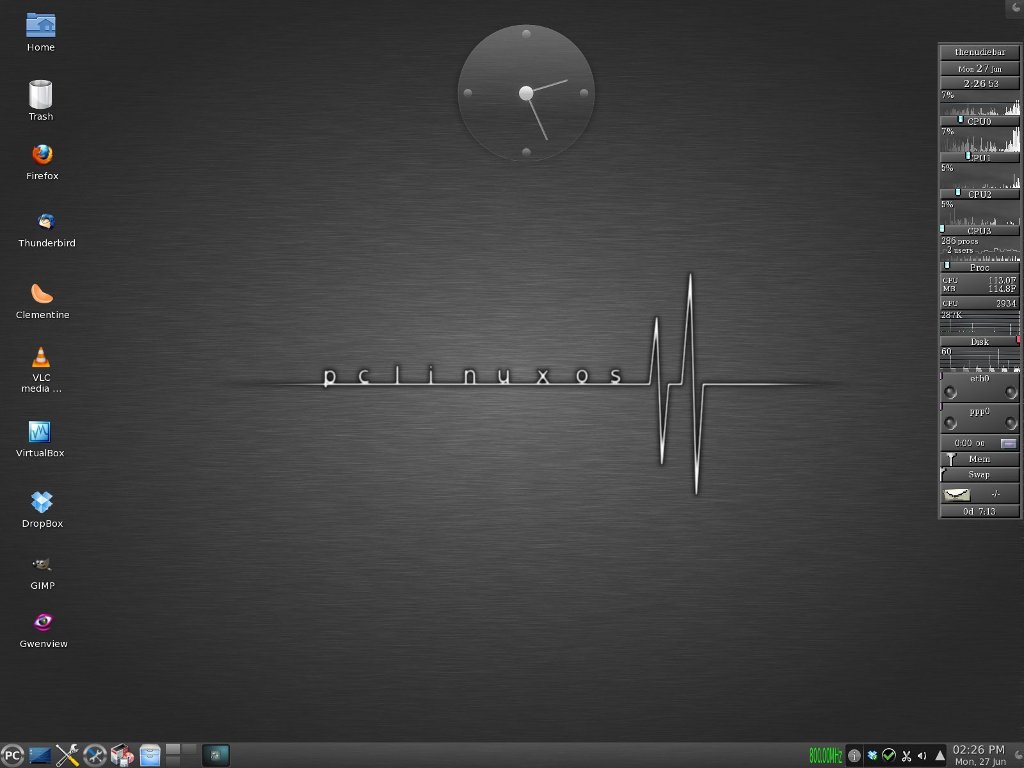
PCLinuxOS KDE 2011.6 Released


PCLinuxOS KDE 2011.6 for 32 and 64 bits computers is now available for download. A 64 bit only release will be available in the coming weeks. PCLinuxOS KDE 2011.6 features the following updates.

What’s new in PCLinuxOS KDE 2011.6:-

Kernel – The kernel was updated to version 2.6.38.8. Additional kernels are available from our repositories such as a PAE kernel for computers with more than 4 gigs of memory. A BFS kernel for maximum desktop performance and a standard kernel with group scheduling enabled.

Xorg - Xorg server was updated to version 1.10.2. Mesa updated to 7.10.3 and libdrm to version 2.4.26. This update brings enhancements to the PCLinuxOS desktop including speed, 3D desktop support for most Intel, Nvidia and AMD/ATi video cards, better font rendering, black screen fixes for most Nvidia cards, better Flash playback and more. The most recent versions of Nvidia and AMD/ATi video drivers are included on the LiveCD and automatically configured for you. The bad news is users with older legacy video cards included in most dated computers may not function properly due to many depreciated xorg video drivers.

Toolchain – Gcc software compiler was updated to version 4.5.2 and glibc updated to 2.10.1. Locales were updated to version 2.12.1.

Package Manager – RPM was updated to version 4.8.1. apt-get and the Synaptic Package Manager were also updated to work with the updated rpm packages. yum and yumex will be available in the coming weeks as an alternative package manager.

Theme Update – The 2011 release received a full makeover. PCLinuxOS features a new brush metal theme including updates to grub, plymouth, kdm, kdesplash and application splash screens. Additional themes are available as well as our previous theme from our software repository.
Theme screenshots located here: http://goo.gl/il3CG

Remastering Tools – mylivecd was updated to work with the latest release. mylivecd added the ability to install PCLinuxOS from the boot menu without having to go to the desktop first. There are 3 compression schemes available now for remastering your installation. xz maximum compression, xz normal compression and gzip for fast compression. xz max takes longer to generate the LiveCD but produces the most compressed image where as gzip will create a LiveCD fairly quick but the compressed image will be larger. mylivecd can also generate a LiveDVD with up to 4 gigs of compressed data. Usually a 10-12 gig installation will compress into a 4 gig DVD.

Software – PCLinuxOS 2011 LiveCD come with the latest versions of most popular programs such as KDE 4.6.4, Firefox 5.0, Thunderbird 3.1.11, Pidgin 2.9.0, VLC 1.10.0 and Clementine 0.7.1 just to name a few. OpenOffice Manager has been replaced with LibreOffice Manager. Due to the limited size of the LiveCD the office suite is not included but can be installed through the LibreOffice Manager either in LiveCD mode (3 gigs memory required) or preferably after hard drive installation. Addlocale has updated translations and can convert a PCLinuxOS installation into over 70 different languages. The software included on the LiveCD was based on community feedback as to what the PCLinuxOS users wanted to be included by default.
A complete package list of what is available on the LiveCD can be found here.

SHARE OUR NEWS DIRECTLY ON SOCIAL NETWORKS:-

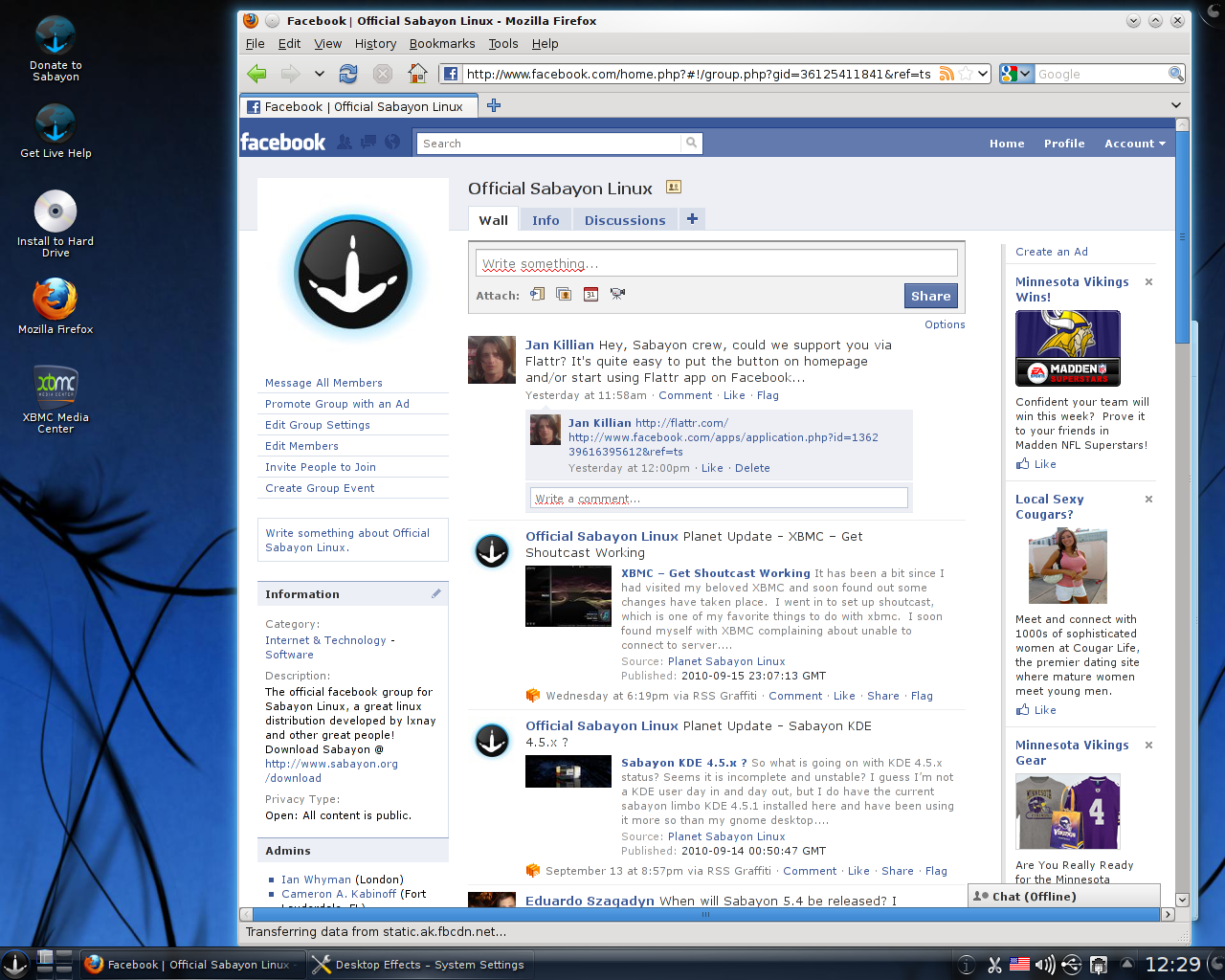
Sabayon Linux 7 Released


Sabayon Linux 7 arrives with experimental Fusion kernel. In Sabayon 7 you will have shining at full bright, for your home computer, your laptop and your home servers.
Linux 3.0, GNOME 3.2, KDE 4.7, Xfce 4.8, LibreOffice 3.4 are just some of the things you will find inside the box. During this cycle, the development team spent a lot of time on integrating GNOME 3.2 the way users might actually start to love it. At the same time, Sabayon Xfce has been promoted to non-experimental release, for those missing GNOME2.
Features:-
  • Ultra-optimized Linux Kernel 3.0 (Experimental Fusion Kernel available after install)
  • Providing extra Server-optimized, OpenVZ-enabled, Vserver-enabled kernels in repositories
  • Natively supporting the btrfs filesystem (besides ext4, aufs, and others)
  • Transform Sabayon into an full-featured HTPC Operating System (Media Center) using XBMC 10.0
  • GNOME 3.2.0 Visual Environment
  • KDE 4.7 Desktop Environment
  • Improved Xfce 4.8 out-of-the-box experience (for those missing GNOME2)
  • Improved LibreOffice integration, updated to 3.4.3.2
  • Entropy Framework (Package Manager, Web Services) updated to 1.0_rc59, containing tons of improvements
  • Improved support for IME and non-roman fonts
  • Improved support for non-latin languages
  • Semi-automated package updates, for more extreme rolling
  • 4000 application updates since Sabayon 6 (yay for rolling release model)

Important Fixes:-
  • Make possible to boot Sabayon off USB via dd (bug 2685)
  • Disable GNOME Shell when fglrx is in use due to broken drivers (patch)
  • Clickpad Touchpad fixes (bug 2517)
  • Failsafe mode not showing login prompt (bug 2539)
  • Fbsplash framebuffer 1280x800 size fixes (bug 2542)
  • Properly set CONSOLEFONT variable (bug 2582)
  • Switch to man-db (bug 2583)
  • KDE: replace Clementine with Amarok (bug 2662)
  • KDE: Improve/fix file associations (bug 2464)
  • KDE: provide proxy settings menu (bug 2538)
  • Installer: make possible to enable/disable firewall
  • Installer: write proper keyboard layout for Russian (bug 2580)
  • Installer: set proper console font for Russian (bug 2582)
  • Installer: move language packs options to Language wizard page (bug 2518)

To download Sabayon Linux 7 Click Here


-News Source (Sabayon Linux)


SHARE OUR NEWS DIRECTLY ON SOCIAL NETWORKS:-

KDE 4.8 Beta 1 Released


KDE released the first beta for its renewed Workspaces, Applications, and Development Platform. With API, dependency and feature freezes in place, the KDE team's focus is now on fixing bugs and further polishing new and old functionality. Highlights of 4.8 include, but are not limited to Qt Quick in Plasma Workspaces -- Qt Quick is making its way into the Plasma Workspaces, the new Plasma Components provide a standardized API implementation of widgets with native Plasma Look and Feel. The device notifier widget has been ported to using these components and is now written in pure QML. KWin's window switcher is now also QML-based, paving the way for newly designed window switchers.
Dolphin's file view has been rewritten for performance, scalability and more attractive visual appearance.
Many performance improvements and bugfixes improve the overall user experience, making the KDE Applications and Workspaces more productive and fun to use than ever before.

To Download KDE 4.8 Beta1 Click Here


SHARE OUR NEWS DIRECTLY ON SOCIAL NETWORKS:-

Rekonq 0.8 (The KDE Web Browser)


The rekonq development team has released version 0.8 of rekonq, the KDE web browser. The browser is based on Qt's QtWebKit, and, according the project's home page, aims to be "light, fast & clean", avoiding competing with KDE's more feature-rich web browser, Konqueror. Rekonq is the default web browser in Kubuntu, and has been included with KDE's Extragear collection since May 2010.

Features:- 
  • AdBlock: Third Party rules support
  • Custom urlbar context menu (paste & go action, …)
  • Set editable
  • Restore tab’s history
  • UI changes (in rekonq menu)
  • Quit closes app (and added option to close window by closing last tab)
  • Use KParts to view page source
  • “click” mechanism to manage favorites
  • “Do Not Track” feature
  • History, time first visit added
  • Tab messages using KMessageWidget
  • Improved drag’n'drop
  • vi style navigation (optional)
  • ctrl + number favorites shortcuts
  • SSL UIs rewamped
To download rekonq 0.8  Click Here


SHARE OUR NEWS DIRECTLY ON SOCIAL NETWORKS:-

Ubuntu 11.10 Beta 2 (Oneiric Ocelot)


What is Ubuntu:- 
Ubuntu is a full-featured Linux distribution for desktops, laptops, and servers, with a fast and easy installation and regular releases.  A tightly-integrated selection of excellent applications is included, and an incredible variety of add-on software is just a few clicks away.

The Ubuntu team is pleased to announce Ubuntu 11.10 Beta 2. Codenamed "Oneiric Ocelot", 11.10 continues Ubuntu's proud tradition of integrating the latest and greatest open source technologies into a high-quality, easy-to-use Linux distribution.  The team has been hard at work through this cycle fixing bugs and introducing a couple of new features as we polish up for the release.

Ubuntu Changes since Beta 1:-

Some of the new features now available are:
A new set of community supported ARM architecture images will be available between now and the release.   The armel+ac100 for the Toshiba ac100 netbook is available for download now, and armel+mx5 targeted at the Freescale i.MX53 Quick Start development board will be available in one of the upcoming dailies. GNOME got updated to current unstable version (3.1.92) on its way to GNOME 3.2
OneConf has now been integrated into the Ubuntu Software Center to help
keep your installed applications in sync between computers.
Improved Infrastructure:-
Ubuntu 11.10 Beta 2 improves support for installing 32-bit library and
application packages on 64-bit systems. Ubuntu 11.10 Beta 2 has a new kernel based on v3.0.4.
Ubuntu Server:-
Beta 2 includes Orchestra which is a collection of the best free software services for provisioning, deploying, hosting, managing, and orchestrating enterprise data center infrastructure services, by, with, and for the Ubuntu Server. Juju (formerly codenamed Ensemble) is now available as a part of Ubuntu Server to handle service deployment and orchestration for both cloud and bare metal.  Juju has many Charms available, including OpenStack deployment. Xen hypervisor has been re-introduced to Ubuntu Server.


Kubuntu:-
Kubuntu 11.10 Beta 2 has the latest KDE software including KDE 4.7.1 Plasma Workspaces and Applications. Along with KDE 4.7.1, the new KDE Personal Information Management (KDEPIM) suite 4.7 is included, which includes the new Kmail 2. The Muon Suite 1.2 which includes Muon Software Center and Muon Package manager is now available.

For More Info :- https://wiki.kubuntu.org/OneiricOcelot/Beta2/Kubuntu


Edubuntu:-
Edubuntu's Oneiric Ocelot Beta 2 has updates to gobby-0.5 and gbrainy
version 2.
For more details
http://www.edubuntu.org

Mythbuntu:-

Mythbuntu Oneiric Ocelot Beta 2 has adapted Chromium to replace Firefox by default.  It now ships with Ubuntu Software Center.
For More info:-  http://www.ubuntu.com/testing/

To download Ubuntu Click Here


SHARE OUR NEWS DIRECTLY ON SOCIAL NETWORKS:-

BackTrack 5 R3 Released & Available To Download

BackTrack 5 R3 Released & Available To Download!!

In our last post about BackTrack we mention the release date of long awaited BT 5 Release 3. So finally the countdown is over. The time has come to refresh our security tool arsenal – BackTrack 5 R3 has been released world wide. First BT5 R3 preview was released  in BlackHat 2012 Las Vegas for the enjoyment of conference attendees. The main aim of that pre-release was to figure out their last bug reports and tool suggestions from the BH / Defcon crowds. This final release mainly focuses on bug-fixes as well as the addition of over 60 new tool. A whole new tool category was populated – “Physical Exploitation”, which now includes tools such as the Arduino IDE and libraries, as well as the Kautilya Teensy payload collection.
As usual KDE and GNOME, 32/64 bit ISOs, have been released a single VMware Image (Gnome, 32 bit). 
We would also like to give to reminder that the first release candidate (R1) of BackTrack 5 was released in August last year. Later in March this year we got the second release candidate (R2) of BT 5. 
For those requiring other VM flavors of BackTrack If you want to build your own VMWare image then instructions can be found in the BackTrack Wiki. Direct ISO downloads will be available once all our HTTP mirrors have synched. But still you can download BackTrack 5 R3 via torrent from the below links. 


SHARE OUR NEWS DIRECTLY ON SOCIAL NETWORKS:-

FreeBSD 8.3 Released With Gnome 2.32.1, KDE 4.7.4 & Many More

FreeBSD 8.3 Released With Gnome 2.32.1, KDE 4.7.4 & Many More 
Earlier in this year we got FreeBSD 9 and now FreeBSD Release Engineering Team announced the availability of FreeBSD 8.3. This is the fourth release from the 8-STABLE branch which improves on the functionality of FreeBSD 8.2 and introduces some new features. Some of the highlights:
  • usb(4) now supports the USB packet filter
  • TCP/IP stack now supports the mod_cc(9) pluggable congestion control framework
  • graid(8) GEOM class added to support various BIOS-based software RAID controllers (replacement for ataraid(4))
  • ZFS subsystem updated to SPA version 28
  • Gnome version 2.32.1, KDE version 4.7.4

FreeBSD 8.3 can be installed from bootable ISO images or over the network. Some architectures (currently amd64 and i386) also support installing from a USB memory stick. The required files can be downloaded via FTP or BitTorrent as described in the sections below. While some of the smaller FTP mirrors may not carry all architectures, they will all generally contain the more common ones such as amd64 and i386. For a complete list of new features and known problems click here.

To Download FreeBSD 8.3 Click Here


SHARE OUR NEWS DIRECTLY ON SOCIAL NETWORKS:-

Beta Release for Fedora 18 "Spherical Cow" is Now Available

Beta Release for Fedora 18 "Spherical Cow" is Now Available For Download & Testing 

After the huge success and response of Fedora 17, now its time to move one step ahead, as the developers at Fedora Project announced the general availability of the first and the final Beta version of Fedora 18 code named "Spherical Cow". This release includes the MATE desktop – a continuation of the classic GNOME 2 interface – in its repositories for the first time. Fedora 18's default edition uses GNOME 3.6.2 as its interface and a separate KDE Spin provides the KDE Software Collection 4.9.3; Xfce 4.10 and version 1.6.7 of Linux Mint's Cinnamon are also available from the distribution's repositories. 


Fedora 18 beta Some Highlighted Features:-
  • For users everywhere
  1. Fedora 18 offers a brand-new version of the Gnome desktop, version 3.6, straight from the upstream development process. Updates have also been made to the KDE, XFCE and Sugar desktop environments; additionally, the MATE desktop is available for the first time in Fedora.
  2. Fedora's new installer user interface enhances the anaconda installer with improvements in easeof use and installation.

  • For developers
  1. This release includes several language updates, including the move to Perl 5.16, updating the Python 3 stack from 3.2 to 3.3, Rails 3.2 and updated D and Haskell programming environments.

  • For system administrators
  1. Fedora 18 includes the final release of Samba 4, and can be used on an Active Directory domain out of the box. An integrated, new native management software allows you to access data and server information easily.
  2. OpenStack in Fedora 18 has been updated to Folsom, the most recent release by the OpenStack community. This Infrastructure-as-a-Service (IaaS) platform enables the creation and management of cloud infrastructure.
  3. Eucalyptus 3.1, another IaaS platform, is available in Fedora for the first time, and includes the major components of Eucalyptus.
  4. Storage System Management CLI tools simplify the user interface by providing unified abstraction and interface for multiple storage technologies, including lvm, btrfs and md raid.

The final release of Fedora 18 is expected later in the year. For more information on these and other Fedora 18 features, click Here. To download Fedora 18 "Spherical Cow" beta. click Here.


SHARE OUR NEWS DIRECTLY ON SOCIAL NETWORKS:-

BackTrack 5 ‘Revolution’ release ups the penetration testing ante


BackTrack,  the GNU/Linux distribution focused on digital forensics and penetration testing, has a new version out, with the public release (on May 10) of BackTrack 5, code-named Revolution, by the BackTrack development team. BackTrack focuses primarily on providing a native environment purely dedicated to hacking. This latest distro was eight months in the making, and boasts of significant improvements over its predecessor.
BackTrack 5 features a comprehensive arsenal of over 350 security-related tools to test everything from Web applications to RFID systems. The new version of BackTrack lives up to its “Revolution”  moniker in that it has been completely overhauled and rewritten from the ground up, providing  users with an optimized platform for penetration testing and digital forensics exercises. For the first time in its development road map, BackTrack now includes support for ARM-based systems — a significantly upgrade.

BackTrack 5 features

A major addition in the new version of BackTrack is the 64-bit offering. BackTrack 5 is based on Ubuntu Lucid Lynx v10.04, the latest long term support (LTS) release using Linux kernel v2.6.38. BackTrack 5 is the first version to be released with the complete source code in its repositories. This addition is expected to clear up licensing issues that existed in the previous Backtrack distros. BackTrack 4 is no longer available for download at the developer’s Website, and support for it has officially been discontinued.
Here is a more detailed look at important features of BackTrack 5.
  • Support for KDE and Gnome
BackTrack 5 boasts of support for KDE Plasma (4.6), Gnome (2.6) and Fluxbox. This makes it much simpler to migrate from Gnome-based distributions. Unifying the desktop environment has the added advantage of an easier learning curve for new users. Streamlined images for each desktop environment (DE) are available on the backtrack website. Tool integration with supported environments is seamless with DE-specific menu structures. However, while Gnome has a smaller memory footprint and is less resource hungry, the Gnome versions lack default package managers, which need to be added separately.
KDE plasma desktop used in BackTrack 5

  • 32-bit and 64-bit support
The addition of 64-bit support in BackTrack 5 makes it possible to tap additional power for processor-intensive tasks such as brute force password cracking. The 32-bit and 64-bit images support various boot modes, including a “Stealth” mode that boots without generating network traffic and a “Forensics” mode for forensic purposes.
  •  ARM architecture support
 An ARM image of BackTrack 5 is available, having officially been tested on the Motorola Xoom tablet and the Motorola Atrix 4G smart phone by the developers. Custom chroot scripts are already available to run BackTrack 5 on Android systems with ARM processors.
Users have successfully deployed BackTrack 5 on Samsung Galaxy S and Sony Xperia smart phones. However, there are still some issues with these systems and not all features are available. There are known issues with wireless drivers on ARM-based systems including lack of support, for  WiFi packet injection.

BackTrack 5 on a Motorola Atrix 4G
Anant Srivastava, a Mumbai-based software developer and member of the null community, was one of the first to successfully run BackTrack 5 on a Sony Xperia X10. Srivastava used a rooted Xperia x10 running Android 2.2 (Froyo) with an Android terminal application and an Android VNC viewer.


  • Packaged tools
BackTrack 5’s arsenal of tools have been upgraded to the latest versions. BackTrack 5 comes preloaded with tools for LAN and WLAN sniffing, vulnerability scanning, digital forensics and password cracking. The Metasploit exploit framework v3.7.0 has been packaged into BackTrack 5. The tools are organized into a comprehensive menu structure, streamlined to comply with the PTES and OSSTMM standards.

Conclusion

BackTrack 5 promises to surpass previous versions in terms of functionality and stability. However, users have raised concerns over the discontinued support for Ubuntu repositories. BackTrack 5 instead uses its own repositories, which have been benchmarked to work with its tools. The BackTrack 5 team justified this move by highlighting performance concerns when the custom features of BackTrack’s tools are used with other repositories, including corruption of the installation. There is no official support for any repository other than that which is provided by the developers.


SHARE OUR NEWS DIRECTLY ON SOCIAL NETWORKS:-

Kororaa Linux 15 Released (Based on Fedora 15, Lovelock)

Dubbed Squirt, the new Kororaa 15 OS is now based on the Fedora 15 release, it features both KDE SC 4.6 and GNOME 3 desktop environments, and it is available for download (see download links at the end of the article) for both 32-bit and 64-bit architectures. Kororaa 15 includes lots of new and interesting features, such as Ubuntu’s Jockey Device Driver Manager tool as a replacement for the old Add/Remove Extras script, easier installation of the Adobe Flash Player plugin, and lots more.
"Users still on Kororaa 14 may wish to upgrade to 15 and should do so via a new install (backup your data if necessary). Users who wish to stay with GNOME 2.x should not upgrade to 15, as it comes with GNOME 3."
"However, Kororaa 15 does include a desktop switcher for GNOME 3, so that users can switch between the new Shell interface and the 2.x style Fallback mode." - said Chris Smart in the official announcement.

Highlights of Kororaa 15:-

· Linux kernel 2.6.40.4;
· Customized GNOME 3 desktop environment;
· Customized KDE SC 4.6 desktop environment;
· Mozilla Firefox 6 as default web browser;
· VLC as default video player;
· Pidgin as the default IM client;
· Extra repositories for installing Adobe Flash Player, Google Chrome,                     RPMFusion and VirtualBox;
· Gwibber and Choqok microblogging clients;
· Out-of-the-box multimedia support;
· Adobe Flash Player installer;
· Jockey Device Driver Manager to easily install Nvidia and ATI video drivers;
· Shell and Fallback desktops switcher for GNOME 3;
· OpenShot and Kdenlive video editors;
· SELinux enabled;
· Australian and British English support and dictionaries;
· DownThemAll add-on for Firefox;
· Linphone VoIP client (for the KDE edition);
· Removed KSplice;
· Removed Add/Remove Extras script;
· Lots of other improvements and bugfixes.

To download Kororaa Linux click Here


SHARE OUR NEWS DIRECTLY ON SOCIAL NETWORKS:-

Sabayon Linux 8 Released (Gentoo-Based)

Sabayon Linux 8 Released (Gentoo-Based)
Earlier we have talked couple of times about Sabayon Linux. This week the devoper team announced the immediate availability of Sabayon Linux 8. Gentoo-based Sabayon touts its variety of packages and installations to choose from, and even though their FAQ mentions its appropriateness for new Linux users, it’s aimed at more experienced users who want to customize to their hearts’ content. As expected Sabayon GNOME 3.2.2, KDE 4.7.4 (4.8.0 available in testing repo), Xfce 4.8, LibreOffice 3.4.4, SpinBase (bare-metal flavour for building your own ISO images), ServerBase (same but with server-optimized kernel), CoreCDX, for those liking Fluxbox are included in this release.
Features:- 
  • The first and best way to try a Gentoo-based Linux distribution at its full power, with all working out-of-the-box and no compilation needed at all
  • The first Extreme-Rolling Release distribution, with automated repository package version bumping, thanks to Entropy Matter ebuild tracker
  • Faster, cleaner and more evolved than any other rolling distro out there: we work hard to bring you the most stable rolling release experience
  • Keep up-to-date your system in minutes while maintaining full Gentoo Portage compatibility
  • Focusing on performance: GCC 4.6 with Graphite Loop Transformation infrastructure and Link Time Optimizations enabled
  • Always up-to-date Linux Kernel 3.2 (and experimental "Fusion" Kernels available in repositories)
  • Providing extra Server-oriented Linux kernels (OpenVZ, Vserver, Generic Server)
  • Natively supporting the btrfs filesystem (besides ext4, aufs, and others)
  • Transform Sabayon into an full-featured HTPC Operating System (Media Center) using XBMC 10.1 (11.0 available soon)
  • GNOME 3.2.2 Visual Environment
  • KDE 4.7.4 Desktop Environment (4.8.0 available in a few days)
  • Improved Xfce 4.8 out-of-the-box experience (for those missing GNOME2)
  • Improved LibreOffice integration, updated to 3.4.4
  • Migrated to libav as ffmpeg replacement
  • Migrated to Java 7 and Subversion 1.7
  • Cinnamon and Razor Qt available in repositories
  • Entropy Framework (Package Manager, Web Services) updated to 1.0_rc86, consolidating stability and performance
  • Support for IME and non-roman fonts at install time
  • Support for non-latin languages at install time
  • More than 12000 packages available for x86_64, i686
  • ARMv7 versions already available, with more than 2000 packages ready to be installed
Important Fixes:-

To Download Sabayon Linux 8 Click Here


SHARE OUR NEWS DIRECTLY ON SOCIAL NETWORKS:-

Knoppix 7.0.1 With Kernel 3.3.7, LXDE, ADRIANE & Iceweasel 10

Knoppix 7.0.1 With Kernel 3.3.7, LXDE, ADRIANE & Iceweasel 10

Klaus Knopper, creator of Knoppix officially declared the general availability of its popular Live Linux distribution - Knoppix 7.0.1. This release includes a number of improvements and package upgrades, while removing proprietary packages, such as Adobe Reader. Version 7.0.1 of Knoppix is based on the usual picks from Debian stable (squeeze) and newer Desktop packages from Debian/testing and Debian/unstable (wheezy). It uses kernel 3.3.7 and LXDE (Lightweight X11 Desktop Environment) as its default desktop environment. The DVD version of Knoppix also includes a choice of GNOME 3.4 or KDE SC 4.7.4 (the current release is KDE SC 4.8.3 from early May), and additional packages such as VirtualBox 4.1.4. Package upgrades include version 3.5.3 of the LibreOffice productivity suite, Wine 1.5.4, Chromium 18 and Iceweasel 10, the re-branded version of the Firefox web browser for Debian. It now has version 1.4 of the open source ADRIANE (Audio Desktop Reference Implementation and Networking Environment) talking menu system for blind users. Other changes include better support for Broadcom Wi-Fi chipsets and experimental support for automatically detecting graphics cards with composite 3D extensions for the Compiz window manager. A full list of changes and new features can be found in the release notes.


To Download Knoppix 7.0.1 Click Here


SHARE OUR NEWS DIRECTLY ON SOCIAL NETWORKS:-

Fedora 16 Will be Available On This October with Grub2, GNOME 3.2 and KDE 4.7


The range of features in Fedora 16, which is scheduled to be released at the end of October, is becoming clearer now that the deadline for submitting new features has passed. Late submissions are accepted on rare occasions, but the "feature freeze" is planned for next Tuesday – by then, all major advancements on the Linux distribution's feature list are planned to be largely complete and ready for testing. The first and only alpha version is to be released three weeks later – on 16 August.
The feature list contains 40 items, including GNOME 3.2 and KDE Plasma Workspaces 4.7. The developers are planning to switch to using Grub2 for the boot loader. Having switched to systemd, as an alternative to sysvinit and upstart, in Fedora 15, the project plans to replace further sysv init scripts with systemd units in version 16. Furthermore, Fedora is to offer everything that's required for Xen virtualisation, as version 3.0 of the Linux kernel, which is now expected to be released on Friday, will include all the necessary components.
However, the Fedora project may well discard some of the features, or postpone their inclusion until Fedora 17, if they prove to be not mature enough. This could potentially happen with the planned use of Btrfs as the distribution's standard file system, which the Fedora project had decided on in early June. One of the stipulated criteria for switching from Ext4 to Btrfs was the availability of a decent program for checking and repairing Btrfs file systems – such a program was expected to become available in May, but has yet to be released.
-News Source (The H)

SHARE OUR NEWS DIRECTLY ON SOCIAL NETWORKS:-

Fedora 16, Codenamed "Verne" Released


Fedora 16, codenamed "Verne", is due to be released today. Fedora has decome the "poster child" for the Gnome 3 desktop, since being the first of the major distributions to use it (in their Fedora 15 release). So there are a lot of high hopes associated with this release, people are really anxious to see if the Fedora/Gnome 3 desktop is improving as it matures. As expected, the Fedora Project developers unleashed a few minutes ago, November 8th, the immediate availability for download and testing of the final and stable version of the Fedora 16 operating system, dubbed Verne.
Fedora 16 (Verne) is powered by the newly released Linux kernel 3.1, it features the GNOME 3.2.1 desktop environment with the GNOME Shell interface and the KDE Software Compilation 4.7.2 environment. Fedora 16 includes OpenStack, lots of SELinux enhancements, updated Haskell, Perl and Ada environments, Blender 2.5, Boost 1.47, TigerVNC 1.1, and much more. 

Over View of Fedora 16:-
  • Linux kernel 3.1.0;
  • GNOME 3.2.1 desktop environment (with GNOME Shell);
  • KDE Software Compilation 4.7.2;
  • GRUB2;
  • Systemd services management;
  • SELinux improvements;
  • 1000 System accounts;
  • Added Chrony NTP client;
  • Removed HAL;
  • Removed ConsoleKit;
  • Automatic Multi-seat support;
  • Support for cloud computing;
  • Restored support for Xen;
  • Enhanced Spice 0.10 app to manage virtual machines;
  • Many improvements for developers;
  • Aeolus Conductor;
  • Blender 2.5;
  • Boost 1.47;
  • Glasgow Haskell Compiler 7.0.4;
  • Haskell Platform 2011.2.0.1;
  • GNOME Input integration;
  • libvirt networking support improvements;
  • New mkdumprd for kdump;
  • Perl 5.14;
  • Static analysis of CPython extensions;
  • Sugar 0.94;
  • TigerVNC 1.1;
  • USB Network Redirection and so on.
To download Fedora 16 (Verne) Click Here

SHARE OUR NEWS DIRECTLY ON SOCIAL NETWORKS:-

Fedora 15 beta released as GNOME 3 backlash grows


The Fedora Project announced the beta release of Fedora 15 "Lovelock," featuring the new GNOME 3 desktop, the Systemd initialization system, and a new dynamic firewall feature. Meanwhile, GNOME 3 has received mixed reviews, with many claiming the project went too far in simplifying the interface.

The new beta version of Fedora 15 follows an alpha that arrived in early March. The final is expected in late May. Sponsored by Red Hat, the community-based Fedora is aligned with the commercial Red Hat Enterprise Linux (RHEL) release, with Fedora largely used as an upstream, exploratory sandbox for Red Hat.
The "Lovelock" release of Fedora offers a variety of additions and enhancements for the desktop and server, led by the GNOME project's GNOME 3 desktop, which formally debuted earlier this month (see farther below). Other changes include new KDE 4.6 and Xfce 4.8 desktops, and a cloud-oriented BoxGrinder appliance builder.

There's also the new OpenOffice.org clone LibreOffice 3.3, which was developed as a fork project after users began worrying about Oracle's commercial ambitions for OpenOffice. Last week Oracle released OpenOffice.org as a fully open source community project, while halting sales of its commercial version, but momentum seems to have already shifted to LibreOffice -- which added several new features in its debut release while stripping out others.

Fedora 15 also features Systemd as the default configuration utility, replacing SysVinit and Upstart for system and session management. The most noticeable change is a faster boot experience, says the project.

For the beta announcement, the project calls out the dynamic firewall feature as a highlight, suggesting it is more complete in this beta version. The firewall lets users change settings without the need to restart the firewall, says the project. The firewall is also said to make persistent connections possible.

For more details on Fedora 15, please see our previous Fedora 15 alpha coverage, as well as the links at the end of the story.

GNOME 3: Too dumbed down for Linux users?

GNOME 3, which will first appear in Fedora 15 as the default desktop, and in Ubuntu 11.04 as the newly demoted backup to Canonical's Unity desktop, was announced earlier this month with much fanfare. Among many other changes, GNOME 3.0 features a new, streamlined GNOME Shell and desktop, as well as improvements to search, user messaging, system settings, and the GTK+ libraries, plus a major revision of the Nautilus file manager.

Years in the making, the release was intended as a consumer-oriented refresh for a desktop environment that has increasingly been perceived by newcomers as confusing and overly technical compared to KDE and other desktop environments.

Yet according to many GNOME users, the project may have gone too far in simplifying the interface. 

As summed up in a recent LinuxInsider story by Katherine Noyes, Linux bloggers and forum posters have beenventing over all the changes in the last two weeks. While mainstream reviews have been largely favorable, Noyes reports on a sizable backlash among GNOME users who say the environment has gone too far in the direction of minimalism.

SHARE OUR NEWS DIRECTLY ON SOCIAL NETWORKS:-

Related Posts Plugin for WordPress, Blogger...