Showing posts sorted by date for query LibreOffice. Sort by relevance Show all posts

Debian Linux 7.0 Code Named 'Wheezy' Released & Available For Download

Debian Linux 7.0 Code Named 'Wheezy' Released & Added  Multiarch Support, Several Specific Tools

Once it was one of the most popular Linux distribution which have drawn the maximum attention, yes you are right I am talking about none other than Debian Linux. Now a days the craze of this flavor has became little fade but as the foundation for other, more popular Linux distributions, such as Mint, Ubuntu and few Pen Testing Distro, still the value of Debian exist. So the up-gradation and new release of this Linux flavor is  still very much important. And today I will talk about the new release of Debian Linux version 7.0 code named 'Wheezy'. After many months of constant development, the developers at Debian project proudly announced the general availability of the next version of this major Linux which is Debian 7.0 aka 'Wheezy'. According to the release note This new version of Debian includes various interesting features such as multiarch support, several specific tools to deploy private clouds, an improved installer, and a complete set of multimedia codecs and front-ends which remove the need for third-party repositories. Multiarch support, one of the main release goals for Wheezy, will allow Debian users to install packages from multiple architectures on the same machine. This means that you can now, for the first time, install both 32- and 64-bit software on the same machine and have all the relevant dependencies correctly resolved, automatically. The installation process has been greatly improved: Debian can now be installed using software speech, above all by visually impaired people who do not use a Braille device. Thanks to the combined efforts of a huge number of translators, the installation system is available in 73 languages, and more than a dozen of them are available for speech synthesis too. In addition, for the first time, Debian supports installation and booting using UEFI for new 64-bit PCs (amd64), although there is no support for Secure Boot yet. 

This Release Includes Numerous Updated Software Packages, Such as:-
  • Apache 2.2.22
  • Asterisk 1.8.13.1
  • GIMP 2.8.2
  • An updated version of the GNOME desktop environment 3.4
  • GNU Compiler Collection 4.7.2
  • Icedove 10 (an unbranded version of Mozilla Thunderbird)
  • Iceweasel 10 (an unbranded version of Mozilla Firefox)
  • KDE Plasma Workspaces and KDE Applications 4.8.4
  • kFreeBSD kernel 8.3 and 9.0
  • LibreOffice 3.5.4
  • Linux 3.2
  • MySQL 5.5.30
  • Nagios 3.4.1
  • OpenJDK 6b27 and 7u3
  • Perl 5.14.2
  • PHP 5.4.4
  • PostgreSQL 9.1
  • Python 2.7.3 and 3.2.3
  • Samba 3.6.6
  • Tomcat 6.0.35 and 7.0.28
  • Xen Hypervisor 4.1.4
  • The Xfce 4.8 desktop environment
  • X.Org 7.7

Along with these more than other 36,000 ready-to-use software packages, built from nearly 17,500 source packages also included in Debian Linux 7.0. So after reading all those cool features, what you are waiting for lets download the installation image via bittorrent (the recommended method), jigdo, or HTTP


SHARE OUR NEWS DIRECTLY ON SOCIAL NETWORKS:-

LinuxCon & Embedded Linux Conference Europe 2012 Schedule Announced

LinuxCon & Embedded Linux Conference Europe 2012 Schedule Announced 

The Linux Foundation declared the schedule of for the second LinuxCon Europe event, which will take place from 5 to 7 November in Barcelona, in Hotel Fira Palace, has been posted on the conference's web site. LinuxCon Europe will bring together the best and brightest that the Linux community has to offer, including community developers, system administrators, business executives and operations experts. LinuxCon Europe will deliver attendees top notch speaking talent (from across Europe and around the globe), innovative and abundant program content, and a wide variety of opportunities to connect with peers. Keynote speakers include Canonical founder Mark Shuttleworth and Eucalyptus CEO MÃ¥rten Mickos. The conference will also feature a discussion of the latest technical advancements in the Linux kernel between Linus Torvalds and Intel's Chief of Linux and Open Source Technologies Dirk Hondel. Scheduled talks include Google's Theodore Ts'o speaking on "Optimizing File System Performance When Memory is Tight" and a talk by Intel developer Marcel Holtmann on new challenges for network support in embedded and consumer applications of Linux. Red Hat employee Ric Wheeler is heading a panel of developers from several SSD caching projects who will discuss how SSDs can be used in Linux as caches for more traditional storage media. Projects that are covered in the schedule include LibreOffice, OpenStack, oVirt, LXC, systemd and Qt. 
Also the schedule for the co-located Embedded Linux Conference Europe has also been posted by Linux Foundation. Last year Embedded Linux Conference Europe (ELCE) took place at October in Prague. 


-Source (The-H & Linux Foundation)


SHARE OUR NEWS DIRECTLY ON SOCIAL NETWORKS:-

LibreOffice Addresses Multiple Heap-based Buffer Overflow Vulnerability (CVE-2012-2665)


LibreOffice Addresses Multiple Heap-based Buffer Overflow Vulnerability (CVE-2012-2665)

Just a few weeks after releasing the LibreOffice 3.5.5, The Document Foundation has confirmed that security holes in earlier versions of the open source LibreOffice, that could be exploited to execute arbitrary code with the privileges of the active user. According to the security advisories of LibreOffice, dubbed CVE-2012-2665 - "Multiple heap-based buffer overflow flaws were found in the XML manifest encryption tag parsing code of LibreOffice. An attacker could create a specially-crafted file in the Open Document Format for Office Applications (ODF) format which when opened could cause arbitrary code execution." Users are recommended to upgrade to 3.5.5 or 3.6.0 to avoid this flaw.  Red Hat released updated OpenOffice.org and LibreOffice packages for both Red Hat Enterprise Linux version 5 and Red Hat Enterprise Linux version 6. Users are advised to upgrade to these updated packages, which contain backported patches to correct the issues, Red Hat said in three security advisories published on Tuesday. Linux vendor Novell released updated LibreOffice packages for SUSE Linux Enterprise Desktop 10 and a LibreOffice update is also available for Ubuntu 12.04 (Precise Pangolin)


SHARE OUR NEWS DIRECTLY ON SOCIAL NETWORKS:-

Ubuntu 12.10 (Quantal Quetzal) Alpha 2 Arrives With Linux Kernel 3.5-rc4 & Improved Filesystem Utilities

Ubuntu 12.10 (Quantal Quetzal) Alpha 2 Arrives With Linux Kernel 3.5-rc4 & Improved Filesystem Utilities
The first alpha version of Ubuntu 12.10 was made available in the first week of June. As expected now the Canonical and the Ubuntu developer team has released the second alpha of version 12.10 of their Ubuntu codenamed "Quantal Quetzal". The new alpha release mostly has package updates to the distribution's components, including a Linux 3.5-rc4 based kernel (Ubuntu kernel 3.5.0-2.2), filesystem utilities (e2fsprogs, mdadm, autofs and btrfs-tools), Firefox and Thunderbird, and GTK+ (to the 3.5 series which will allow a number of GNOME 3.5 updates to take place).
Ubuntu Server has seen updates too, with Tomcat 7 replacing Tomcat 6, Chef 0.10.x, Ceph-0.57.2, MySQL 5.5.25 and updates to OpenStack to track the current "folsom" development milestones. The alpha 2 release also sees images for the Calxeda ARM servers being made available. There are also updates for Kubuntu, with KDE SC 4.9 Beta 2 included, and the experimental replacement of LibreOffice with Calligra Suite. Xubuntu sees a later Xfce (4.10) in use and updated Gimp and gThumb. 
ISO images of the general desktop testing release are available for 32- and 64-bit x86 systems and 64-bit Mac systems. For all changes, known issues and links to further information and other images, consult the Alpha 2 Technical Overview. Development releases are meant for testing only and should not be used in a production or critical environment; users wanting a stable system should install Ubuntu 12.04 LTS


-Source (Ubuntu ,The-H)


SHARE OUR NEWS DIRECTLY ON SOCIAL NETWORKS:-

Knoppix 7.0.1 With Kernel 3.3.7, LXDE, ADRIANE & Iceweasel 10

Knoppix 7.0.1 With Kernel 3.3.7, LXDE, ADRIANE & Iceweasel 10

Klaus Knopper, creator of Knoppix officially declared the general availability of its popular Live Linux distribution - Knoppix 7.0.1. This release includes a number of improvements and package upgrades, while removing proprietary packages, such as Adobe Reader. Version 7.0.1 of Knoppix is based on the usual picks from Debian stable (squeeze) and newer Desktop packages from Debian/testing and Debian/unstable (wheezy). It uses kernel 3.3.7 and LXDE (Lightweight X11 Desktop Environment) as its default desktop environment. The DVD version of Knoppix also includes a choice of GNOME 3.4 or KDE SC 4.7.4 (the current release is KDE SC 4.8.3 from early May), and additional packages such as VirtualBox 4.1.4. Package upgrades include version 3.5.3 of the LibreOffice productivity suite, Wine 1.5.4, Chromium 18 and Iceweasel 10, the re-branded version of the Firefox web browser for Debian. It now has version 1.4 of the open source ADRIANE (Audio Desktop Reference Implementation and Networking Environment) talking menu system for blind users. Other changes include better support for Broadcom Wi-Fi chipsets and experimental support for automatically detecting graphics cards with composite 3D extensions for the Compiz window manager. A full list of changes and new features can be found in the release notes.


To Download Knoppix 7.0.1 Click Here


SHARE OUR NEWS DIRECTLY ON SOCIAL NETWORKS:-

Debian GNU/Linux 6.0.5 Released

Debian GNU/Linux 6.0.5 Released

Developers at Debian project is pleased to announce the fifth update of its stable distribution Debian 6.0 codenamed squeeze. According to the project release this update mainly adds corrections for security problems to the stable release, along with a few adjustments for serious problems. Security advisories were already published separately and are referenced where available. If you have Debian 6.0.x already installed, it is not necessary to reinstall, you only need to install all the latest updates from your nearest mirror site. 

What's new in Debian GNU/Linux 6.0.2:-
  • aide Properly support large files on 32-bit systems; fix group for bind9 log files
  • approx Don't try caching InRelease or non-.gz compressed files
  • apr Fix apr_ino_t changing size depending on -D_FILE_OFFSET_BITS on kfreebsd-*
  • apt Fix file size calculation on big-endian arches; don't prompt for CD re-insertion on "apt-get update"; add XZ support
  • apt-listchanges Correctly handle NEWS files containing only one entry
  • base-files Update /etc/debian_version
  • clive Adapt for liveleak.com changes
  • dbus Fix local DoS for system services (CVE-2011-2200)
  • deborphan Exclude libreoffice from --guess-section output; trap WINCH in a POSIX way; minor translation fixes
  • dokuwiki Fix an ACL bypass issue in the XMLRPC interface
  • dpkg Fix regression in 'dpkg-divert --rename'; dpkg-split: don't corrupt metadata on 32-bit systems; fix vsnprintf() compat declaration
  • e2fsprogs Various bug fixes
  • fakechroot Fix 'debootstrap --variant=fakechroot'
  • fcgiwrap Fix init script's 'stop' target
  • gdm3 Reset SIGPIPE handler before starting the session; execute the PostSession script even when GDM is killed or shut down
  • git Allow remove and purge in one step by terminating the git-daemon/log service before removing the gitlog user
  • gnome-settings-daemon Work around possible race condition when starting Xsettings manager
  • ia32-libs Refresh packages from stable and proposed-updates.
  • iceowl Security updates
  • im-config Avoid breaking login via GDM if im-config is removed but not purged
  • inn Stop using 'sort +1n' in makehistory; disable outdated CHECK_INCLUDED_TEXT option by default
  • josm Give more verbose explanation to users who haven't agreed to the new OSM license
  • kde4libs Wildcard SSL certificate and XSS security fixes; ktar checksum and UTF-8 longlink fixes
  • kdenetwork Improve fix for CVE-2010-1000 directory traversal issue
  • kernel-wedge Add hpsa and pm8001 to scsi-extra-modules; add bna to nic-extra-modules
  • kerneltop Increase line buffer size to 1024 bytes
  • klibc ipconfig: escape DHCP options and correctly handle multiple connected network devices (CVE-2011-1930)
  • krb5 Fix DoS; fix interoperability with w2k8r2 KDCs; fix invalid free and double free; don't make authentication fail if PAC verification fails
  • kupfer Use correct parameter type to allow keybindings to work again
  • libapache2-mod-perl2 Rebuild against apr 1.4.2-6+squeeze3 to pick up apr_ino_t size fix on kFreeBSD
  • libburn Don't create images with overly-restrictive permissions
  • libfinance-quotehist-perl Disable test suite, broken by website changes
  • libmms Fix alignment issues on arm
  • linux-2.6 New hardware support; add longterm 2.6.32.41; fix oops via corrupted partition tables
  • linux-kernel-di-amd64-2.6 Rebuild against kernel-wedge 2.74+squeeze3
  • linux-kernel-di-armel-2.6 Rebuild against kernel-wedge 2.74+squeeze3
  • linux-kernel-di-i386-2.6 Rebuild against kernel-wedge 2.74+squeeze3
  • linux-kernel-di-ia64-2.6 Rebuild against kernel-wedge 2.74+squeeze3
  • linux-kernel-di-mips-2.6 Rebuild against kernel-wedge 2.74+squeeze3
  • linux-kernel-di-mipsel-2.6 Rebuild against kernel-wedge 2.74+squeeze3
  • linux-kernel-di-powerpc-2.6 Rebuild against kernel-wedge 2.74+squeeze3
  • linux-kernel-di-s390-2.6 Rebuild against kernel-wedge 2.74+squeeze3
  • linux-kernel-di-sparc-2.6 Rebuild against kernel-wedge 2.74+squeeze3
  • lua-expat Fix the 'billion laughs' DoS attack
  • monkeysphere Fix monkeysphere-host revoke-key
  • nagios-plugins Allocate a big enough buffer to handle all IPs of hosts being pinged
  • nsd3 Remove statoverride before removing the package's user
  • openldap Fix possible database corruption issues, several security issues and dpkg-reconfigure
  • php-svn Rebuild against apr 1.4.2-6+squeeze3 to pick up apr_ino_t size fix on kFreeBSD
  • php5 Rebuild against apr 1.4.2-6+squeeze3 to pick up apr_ino_t size fix on kFreeBSD
  • pianobar Update API keys for XMLRPC v30
  • postgresql-8.4 New upstream bugfix release; fix pg_upgrade use with TOAST tables
  • prosody Fix the 'billion laughs' DoS attack
  • puppet Fix service provider to properly use update-rc.d disable API
  • python-apt Strip multiarch by default in RealParseDepends; add XZ support
  • python-gudev Add missing dependency on python-gobject
  • q4wine Stop shipping the library in lib64
  • qemu Don't register qemu-mips(el) with binfmt on mips(el)
  • qemu-kvm Fix division by 0 with some guests; fix vnc zlib overflow; don't abort on user hardware errors; fix migration on 32-bit
  • qt4-x11 Blacklist some fraudulent SSL certificates; fix weakness in wildcard certificate verification
  • rapidsvn Rebuild against apr 1.4.2-6+squeeze3 to pick up apr_ino_t size fix on kFreeBSD
  • refpolicy Various permissions fixes
  • reprepro Handle Release files which don't contain md5sums
  • ruby1.8 Fix upgrades from lenny by making libruby1.8 conflict/replace irb1.8 and rdoc1.8
  • samba Fix undefined symbol error from tdb2.so; several printing related bugs and a gid leak in winbind / idmap. Document the new and potentially disruptive 'map untrusted to domain'
  • schroot Fix loading of dchroot.conf
  • softhsm Remove statoverride entries before the package's user
  • sun-java6 New upstream security update
  • tzdata New upstream version
  • vimperator Resolve compatibility issues with iceweasel
  • widelands Fix potential security issue in Internet games
  • xenomai Adapt kernel patch to apply cleanly to squeeze's kernel
  • xserver-xorg-video-tseng Fix driver initialisation

To Download Debian 6.0 codenamed "squeeze" Click Here
  

-Source (Softpedia, Debian Project)

SHARE OUR NEWS DIRECTLY ON SOCIAL NETWORKS:-

LibreOffice 3.5.3 Final Arrives, 60+ Bugs Have Been Fixed

LibreOffice 3.5.3 Final Arrives, 60+ Bugs Have Been Fixed 

The Document Foundation announces LibreOffice 3.5.3, the fourth version of the 3.5 family. LibreOffice 3.5.3 provides additional stability to corporate and individual users of the best free office suite ever. As expected, the new stable release adds no new features, instead fixing more than 60 bugs found in the core of the program. These include problems when importing PDF, PPTX, RTF and DOCX files, as well as a crashing bug.
Highlighted Features:-
  • Calc performance improvements
  • Lightproof improvements
  • Collaborative spreadsheet editing using Telepathy
  • A Microsoft Publisher import filter
  • A signed PDF export
  • A smartphone remote control
  • A new UI for picking templates
  • A Java based GUI for an Android viewer
  • An improved Impress SVG export filter
  • Tooling for more and better tests
The distribution for Windows is an international build, so you can choose the user interface language that you prefer. Help content is available via an online service, or alternatively as a separate install. For Windows users that have LibreOffice prior to version 3.4.5 installed, either uninstall that beforehand, or upgrade to 3.4.5. Otherwise, the upgrade to 3.5.2 may fail. LibreOffice contains all the security fixes from OpenOffice.org in 3.3.0, and perhaps more as a side-effect of the code clean-ups. Microsoft Office 2010 will complain that ODF 1.2 and extended documents written by LibreOffice 3.5 are invalid (but opens them still). This is a shortcoming in MSO2010 only supporting ODF 1.1, please see here for further details. 

To Download LibreOffice Click Here


SHARE OUR NEWS DIRECTLY ON SOCIAL NETWORKS:-

OpenBSD 5.1 Released With Better Hardware Support & Performance

OpenBSD 5.1 Released With Better Hardware Support & Performance
Last year we got both FreeBSD & PCBSD 9 after few months we got GhostBSD 2.5 Final version. Couple of moths ago a public beta of NetBSD 6.0 get released for testing purpose. Now its the turn of OpenBS, The OpenBSD project has made version 5.1 of its free BSD-based UNIX-like operating system available to download. The latest update to the distribution comes six months after the release of OpenBSD 5.0 and includes better hardware support, performance improvements and new features, as well as package upgrades. 
Some Highlights:-
  • GNOME 3.2.1 (fallback mode)
  • KDE 3.5.10
  • Xfce 4.8.3
  • MySQL 5.1.60
  • PostgreSQL 9.1.2
  • Postfix 2.8.8
  • OpenLDAP 2.3.43 and 2.4.26
  • Mozilla Firefox 3.5.19, 3.6.25 and 9.0.1
  • Mozilla Thunderbird 9.0.1
  • GHC 7.0.4
  • LibreOffice 3.4.5.2
  • Emacs 21.4, 22.3 and 23.4
  • Vim 7.3.154
  • PHP 5.2.17 and 5.3.10
  • Python 2.5.4, 2.7.1 and 3.2.2
  • Ruby 1.8.7.357 and 1.9.3.0
  • Tcl/Tk 8.5.11
  • Jdk 1.7
  • Mono 2.10.6
  • Chromium 16.0.912.77
  • Groff 1.21 
Along with these we are getting OpenSSH 6.0, Xenocara (based on X.Org 7.6 with xserver 1.11.4 + patches, freetype 2.4.8, fontconfig 2.8.0, Mesa 7.10.3, xterm 276, xkeyboard-config 2.5 and more), OpenSSL 1.0.0f, Bind 9.4.2-P2, Gcc 4.2.1, Perl 5.12.2, Lynx 2.8.7rel.2 with HTTPS and IPv6 support, Sudo 1.7.2p8 & so on.  For additional information & to see the release note click here.

To Download OpenBSD 5.1 Click Here


SHARE OUR NEWS DIRECTLY ON SOCIAL NETWORKS:-

Ubuntu 12.04 LTS (Precise Pangolin) Beta 2 Released

Ubuntu 12.04 LTS (Precise Pangolin) Beta 2 Released !!!
Good new for Ubuntu lovers. The developers has declared the general availability of Ubuntu 12.04 LTS Precise Pangolin Beta 2. The 1st beta of Ubuntu 12.04 LTS came earlier in March this year. Earlier we have also got two Alpha1 & Alpha2 release of Ubuntu 12.04 LTS. 
The Unity Files lens used to only rely on Zeitgeist, meaning it could only find files you've opened. In the latest Ubuntu 12.04 Precise Pangolin beta 2, the File Lens can also display results for files you've never accessed / interacted with. Unity (both 2D and 3D) gained an option to configure the launcher for multi-monitor setups: you can now select to display the launcher on the primary monitor or on all monitors. The Launcher behaviour for multi-monitor setups can be set from System Settings (Displays, under Launcher Placement). HUD got various improvements which include a new animation, it now respects the launcher behaviour (autohide, visible) and launcher icon size. For those not familiar with HUD, it's a searchable smart menu that can be summoned by tapping the ALT key. HUD is optional and it doesn't replace the regular menus.

Default Applications:-
Firefox 11, Nautilus 3.3.92, Thunderbird 11, Gedit 3.3.8, Rhythmbox 2.96, LibreOffice 3.5.1, Totem 3.0.1, Transmission 2.50, Empathy 3.3.92, Deja Dup Backup Tool 22.0, Shotwell 0.11.93, Gwibber 3.3.93, Ubuntu Software Center 5.1.13.2, System Settings (GNOME Control Center) 3.3.92, all on top of GTK 3.3.20. Also, Precise beta 2 comes with 3.2.0-20.33 Linux kernel which is based on the v3.2.12 upstream stable Linux kernel.

There's also great news or GNOME Shell users: even though it was initially said that Ubuntu 12.04 Precise Pangolin will have GNOME Shell 3.2 in the official repositories, thanks to Jeremy Bicha and Rico Tzschichholz, Precise has the latest GNOME Shell 3.4 in the official repositories, along with most other GNOME 3.4 applications / components. 
Note that:- The current stable release of Ubuntu is 11.10 "Oneiric Ocelot" from October 2011, while the most recent LTS version is Ubuntu 10.04.4 LTS "Lucid Lynx".
For Additional Information & To Download Ubuntu 12.04 Beta 2 Click Here


SHARE OUR NEWS DIRECTLY ON SOCIAL NETWORKS:-

Ubuntu 12.04 LTS (Precise Pangolin) Beta 1 Released For Testing

Ubuntu 12.04 LTS (Precise Pangolin) Beta 1 Released For Testing 
After making available two Alpha release of Ubuntu 12.04 LTS code named "Precise Pangolin" now the developer has officially declared the availability Ubuntu 12.04 Beta 1. According to the project's release schedule, the current development milestone will be followed by a second beta on 29 March, with a possible release candidate arriving in April. The final version is planned for 26 April. With this release the most visible of the changes comes in the form of version 5.4 of Canonical's custom Unity desktop interface, which introduces Ubuntu's new HUD (heads-up display) by default. Unity's 2D desktop now looks like the 3D accelerated desktop.
Ubuntu 12.04 LTS Beta 1 is using the 3.2.0-17.27 Ubuntu kernel which is based on the recent 3.2.6 Linux kernel. As with the alpha releases of the kernel, the developers have unified the server and generic flavours of the kernel in a merger designed to reduce the maintenance work needed over the five year life of the LTS release.
The developers have also turned on RC6 power management by default in the beta release. The RC6 technology in Intel's Sandy Bridge processors allows the GPU to go into a low power consumption mode when idle, as low as 0 W, and can result in considerable power savings of 40 to 60 percent. The developers have now switched the default music player to Rhythmbox and included support for the Ubuntu One Music Store within it. Other application updates include moving to the latest version of LibreOffice 3.5 and a beta of Firefox 11.0. Hardware support has also been added for ClickPads. Ubuntu 12.04 will be a Long Term Support (LTS) release that will be supported for five years on both the server edition and, for the first time, the desktop edition.
The current stable release of Ubuntu is 11.10 "Oneiric Ocelot" from October 2011, while the most recent LTS version is Ubuntu 10.04.4 LTS "Lucid Lynx".
For Additional Information & To Download Ubuntu 12.04 Beta 1 Click Here


SHARE OUR NEWS DIRECTLY ON SOCIAL NETWORKS:-

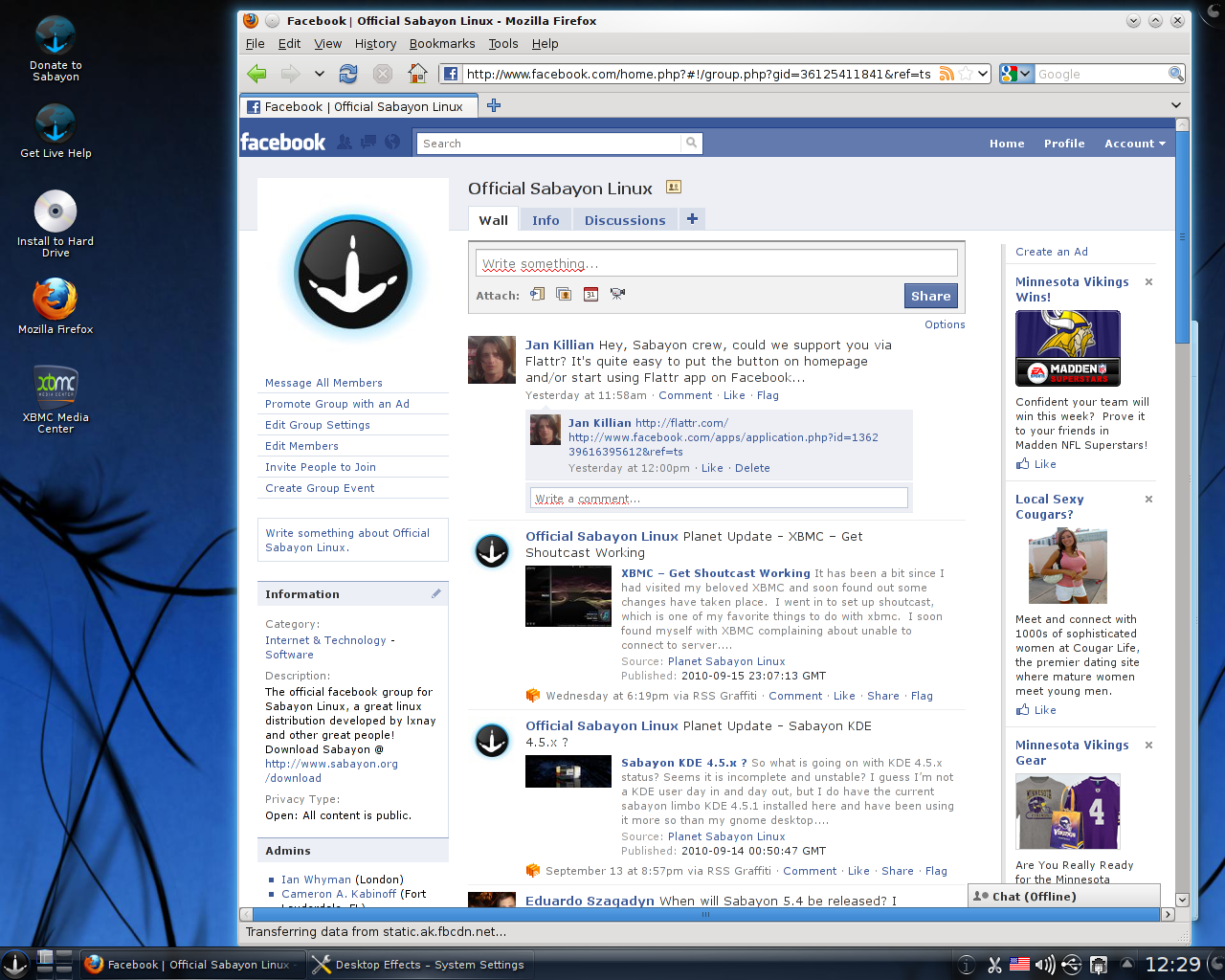
Sabayon Linux 8 Released (Gentoo-Based)

Sabayon Linux 8 Released (Gentoo-Based)
Earlier we have talked couple of times about Sabayon Linux. This week the devoper team announced the immediate availability of Sabayon Linux 8. Gentoo-based Sabayon touts its variety of packages and installations to choose from, and even though their FAQ mentions its appropriateness for new Linux users, it’s aimed at more experienced users who want to customize to their hearts’ content. As expected Sabayon GNOME 3.2.2, KDE 4.7.4 (4.8.0 available in testing repo), Xfce 4.8, LibreOffice 3.4.4, SpinBase (bare-metal flavour for building your own ISO images), ServerBase (same but with server-optimized kernel), CoreCDX, for those liking Fluxbox are included in this release.
Features:- 
  • The first and best way to try a Gentoo-based Linux distribution at its full power, with all working out-of-the-box and no compilation needed at all
  • The first Extreme-Rolling Release distribution, with automated repository package version bumping, thanks to Entropy Matter ebuild tracker
  • Faster, cleaner and more evolved than any other rolling distro out there: we work hard to bring you the most stable rolling release experience
  • Keep up-to-date your system in minutes while maintaining full Gentoo Portage compatibility
  • Focusing on performance: GCC 4.6 with Graphite Loop Transformation infrastructure and Link Time Optimizations enabled
  • Always up-to-date Linux Kernel 3.2 (and experimental "Fusion" Kernels available in repositories)
  • Providing extra Server-oriented Linux kernels (OpenVZ, Vserver, Generic Server)
  • Natively supporting the btrfs filesystem (besides ext4, aufs, and others)
  • Transform Sabayon into an full-featured HTPC Operating System (Media Center) using XBMC 10.1 (11.0 available soon)
  • GNOME 3.2.2 Visual Environment
  • KDE 4.7.4 Desktop Environment (4.8.0 available in a few days)
  • Improved Xfce 4.8 out-of-the-box experience (for those missing GNOME2)
  • Improved LibreOffice integration, updated to 3.4.4
  • Migrated to libav as ffmpeg replacement
  • Migrated to Java 7 and Subversion 1.7
  • Cinnamon and Razor Qt available in repositories
  • Entropy Framework (Package Manager, Web Services) updated to 1.0_rc86, consolidating stability and performance
  • Support for IME and non-roman fonts at install time
  • Support for non-latin languages at install time
  • More than 12000 packages available for x86_64, i686
  • ARMv7 versions already available, with more than 2000 packages ready to be installed
Important Fixes:-

To Download Sabayon Linux 8 Click Here


SHARE OUR NEWS DIRECTLY ON SOCIAL NETWORKS:-

Ubuntu Released 12.04 LTS (Precise Pangolin) Alpha 2 !!!

Ubuntu Released 12.04 LTS (Precise Pangolin) Alpha 2 
Earlier in 2011 Ubuntu has released both version 11.10 code named "Oneiric Ocelot" & 12.04 LTS code named "Precise Pangolin". As expected the Ubuntu team officially announced the availability of Ubuntu 12.04 LTS Alpha 2 for testing purpose and for developers. This release is based on recent Linux kernel 3.2.2
Ubuntu 12.04 LTS Alpha 2 includes version 5.0 of Canonical's custom Unity desktop interface, which is now said to perform better and be more stable. The bundled open source LibreOffice office suite has been updated to version 3.5 Beta 2 and the 1.4 release of the Upstart event-based init replacement is included. The KDE variant of Ubuntu, Kubuntu, now includes version 4.8 of the desktop environment, while the Server edition updates the OpenStack cloud platform to the Essex 3 milestone of the OpenStack project's forthcoming release.
the developers remind users that "pre-releases of Precise Pangolin are *not* encouraged for anyone needing a stable system or anyone who is not comfortable running into occasional, even frequent breakage". Those testing the release are encouraged to provide feedback and report any bugs that they find. The second alpha will be followed by two betas in March, with a possible release candidate arriving in April. The final version is scheduled for release on 26 April 2012.

To Download Ubuntu 12.04 LTS (Precise Pangolin) Alpha 2 Click Here


-Source (Ubuntu, The-H) 


SHARE OUR NEWS DIRECTLY ON SOCIAL NETWORKS:-

Linux Mint 12 KDE Arrived

 Linux Mint 12 KDE Arrived 
Earlier we have discussed about Linux Mint many times. In December 2011 the developer of Linux Mint released Linux Mint 12 codenamed “Lisa”. Now the team has announced the availability of Linux Mint 12 KDE. 

Main Features:- 
  • KDE 4.7.4
  • Hybrid ISO images
  • Search engines
  • Upstream components

New and updated packages include version 8.0 of the Thunderbird email client, Firefox 8.0, LibreOffice 3.4.3, version 2.4.3 of the Amarok music player and organiser, and VLC 1.1.12. Like the GNOME edition, it includes DuckDuckGo as its default search engine; the move comes as part of the project's first income-raising partnership. The new version is also the project's first KDE release to be available to download as Hybrid ISO images, which can be used to create a bootable USB drive using the dd command. A tutorial for installing Linux Mint via USB is provided.  

For Additional Information & To Download Linux Mint 12 KDE Click Here


-Source (Linux Mint) 

SHARE OUR NEWS DIRECTLY ON SOCIAL NETWORKS:-

GhostBSD 2.5 Is Available With GNOME 2.32.1, LXDE & Many Other Features

GhostBSD 2.5 Is Available With GNOME 2.32.1, LXDE & Many Other Features
Remember earlier in this month BSD users get double boom, both FreeBSD & PCBSD 9 released.  Now its time for another one. And as expected we have GhostBSD 2.5 Final version. Many bugs have been fixed, many parts of the system updated, tweaked and fine-tuned. This release is based on on the recent version 9.0 release of FreeBSD and, for the first time, is now available as two main branches. The standard GNOME edition of GhostBSD includes version 2.32.1 of GNOME as its default desktop, while the new branch includes the lightweight LXDE desktop environment. Two editions share several of the same packages such as Firefox 9.0.1 and version 2.42 of the Transmission BitTorrent client; however, there are some differences. For example, the GNOME edition bundles version 3.4.4 of the LibreOffice office suite and Empathy, while the LXDE version includes AbiWord 2.8.4, Gnumeric 1.10.17 and version 2.10.1 of the Pidgin IM client


To Download GhostBSD Click Here


SHARE OUR NEWS DIRECTLY ON SOCIAL NETWORKS:-

VectorLinux 7.0 Codenamed 'GG' Is Now Available


The final release of VectorLinux 7.0 (code name 'GG') is now available. This release is the result of nearly two years of blood sweet and tears since the very successful release of VectorLinux 6.0. With the enthusiasm of a small group of packagers, our repository now hosts over a thousand up to date packages. VectorLinux is the fastest Linux desktop in it's class bar none. 
The main desktop is based on Xfce-4.8 with a custom theme and artwork again unique to VectorLinux. FluxBox is installed as a secondary desktop option. Much work has been done on localization and we know users from all over the globe will find VectorLinux usable in their language of choice. 
All the VectorLinux trademarks are included: DVD playback, Audio and Video Codecs, Multimedia and Java plugins are installed and working out of the box. The best of the Open Source world is included: Gimp, Inkscape, Geeqie and Shotwell for Graphics; the latest Firefox and Opera for Internet Browsing; Pidgin and Xchat for instant messaging; Brasero for CD burning (K3B is available in the repo); Mplayer, UMplayer, Xine and Exaile for playing most available media formats. The office applications are Gnumeric and Abiword (Libreoffice and many others available in the repo).
Wireless networking has been extended with updated drivers and firmware, Wicd has been employed to manage wireless and non wireless networking. Ufw with the Gufw gui is included for firewall protection and there is added support for several webcam makes and models. The Kernel is version 3.0.8 and there have been improvements in installation, usability and hardware Support. This release will fulfill all the hardware requirements of even the most modern equipment. 


To Download the VectorLinux-7.0 iso Click Here


SHARE OUR NEWS DIRECTLY ON SOCIAL NETWORKS:-

Sabayon Linux 7 Released


Sabayon Linux 7 arrives with experimental Fusion kernel. In Sabayon 7 you will have shining at full bright, for your home computer, your laptop and your home servers.
Linux 3.0, GNOME 3.2, KDE 4.7, Xfce 4.8, LibreOffice 3.4 are just some of the things you will find inside the box. During this cycle, the development team spent a lot of time on integrating GNOME 3.2 the way users might actually start to love it. At the same time, Sabayon Xfce has been promoted to non-experimental release, for those missing GNOME2.
Features:-
  • Ultra-optimized Linux Kernel 3.0 (Experimental Fusion Kernel available after install)
  • Providing extra Server-optimized, OpenVZ-enabled, Vserver-enabled kernels in repositories
  • Natively supporting the btrfs filesystem (besides ext4, aufs, and others)
  • Transform Sabayon into an full-featured HTPC Operating System (Media Center) using XBMC 10.0
  • GNOME 3.2.0 Visual Environment
  • KDE 4.7 Desktop Environment
  • Improved Xfce 4.8 out-of-the-box experience (for those missing GNOME2)
  • Improved LibreOffice integration, updated to 3.4.3.2
  • Entropy Framework (Package Manager, Web Services) updated to 1.0_rc59, containing tons of improvements
  • Improved support for IME and non-roman fonts
  • Improved support for non-latin languages
  • Semi-automated package updates, for more extreme rolling
  • 4000 application updates since Sabayon 6 (yay for rolling release model)

Important Fixes:-
  • Make possible to boot Sabayon off USB via dd (bug 2685)
  • Disable GNOME Shell when fglrx is in use due to broken drivers (patch)
  • Clickpad Touchpad fixes (bug 2517)
  • Failsafe mode not showing login prompt (bug 2539)
  • Fbsplash framebuffer 1280x800 size fixes (bug 2542)
  • Properly set CONSOLEFONT variable (bug 2582)
  • Switch to man-db (bug 2583)
  • KDE: replace Clementine with Amarok (bug 2662)
  • KDE: Improve/fix file associations (bug 2464)
  • KDE: provide proxy settings menu (bug 2538)
  • Installer: make possible to enable/disable firewall
  • Installer: write proper keyboard layout for Russian (bug 2580)
  • Installer: set proper console font for Russian (bug 2582)
  • Installer: move language packs options to Language wizard page (bug 2518)

To download Sabayon Linux 7 Click Here


-News Source (Sabayon Linux)


SHARE OUR NEWS DIRECTLY ON SOCIAL NETWORKS:-

Countdown Begins, Ubuntu 11.10 (Oneiric Ocelot) Will be Available Within Few Hours


It has been six months in the making and has occupied the time of a cast of thousands, finally the Debian derived GNU/Linux distribution we have all been waiting for is here. Ubuntu 11.10 the Oneiric Ocelot is released on October 13th. Finally that day came. But we need to wait a little more to fell the 11.10 oneiric Ocelot. 
VOGH talked with Ubuntu  developer Team about this release and accroding to them:-
"Today we release Ubuntu 11.10: Oneiric Ocelot after a busy six months of work. Thank you to everyone who participated in this release and put their brick in the wall. We had many wonderful contributions from developers, testers, translators, authors, advocates, accessibility folks, marketeers, programmers, governors, and more. I am looking forward to seeing the release hit the tubes. :-)
This week I have been in London all week for the release week, and it has been a hectic, but useful week. I also used this week to take advantage of the timezone and hop on the phone with some community members on this side of the pond. Thanks to all those for the calls.
Speaking of this side of the pond, I am excited to be able to go to the London release party which takes place tonight on Thu 13th Oct 2011 from 6.30pm at The Cask Pub at 6 Charlwood Street, Pimlico, London, SW1V 6EE. Thanks to the Ubuntu UK team for putting together the party, and it looks like there will be a great crowd there."

All VOGH readers Please check out the event here and register if you plan on coming so the team has an idea of numbers.

Oneiric Release Schedule
  • June 2nd Alpha 1
  • June 30th Alpha 2
  • August 4th Alpha 3
  • September 1st Beta 1
  • September 22nd Beta 2
  • October 13th Ubuntu 11.10
Oneiric will be the second release of Ubuntu to be made available on the 13th, the last being Ubuntu 5.10 Breezy Badger way back in 2005.

Release Schedule of Ubuntu:-
  • Ubuntu 4.10 20th October
  • Ubuntu 5.10 13th October
  • Ubuntu 6.10 26th October
  • Ubuntu 7.10 18th October
  • Ubuntu 8.10 30th October
  • Ubuntu 9.10 29th October
  • Ubuntu 10.10 10th October

10 of the new features implemented in the Ubuntu 11.10 (Oneiric Ocelot):-
1. Breathtaking login manager (a.k.a login screen or display manager)
2. Lots of Unity launcher, Unity Dash, and Unity panel improvements, including smart application finder when dragging different files, unread counters for Mozilla Firefox, Mozilla Thunderbird, Empathy and Pidgin, and smart search in Dash.
3. Awesome backup up tool, called Deja Dup, that will backup and restore all the files (yes, including the hidden ones) in your home folder.
4. Mozilla Thunderbird 7.0 as the default email client (replacing Evolution Mail and Calendar, which has been completely removed from the system).
5. Mozilla Firefox 7.0 as the default web browser!
6. Brand-new ALT+Tab functionality that will work across multiple desktops.
7. Improved office suite - LibreOffice 3.4
8. Easily access various settings straight from the Unity panel, to setup your monitor, bluetooth devices, startup applications, printers, USB devices, and system updates.
9. Simplified and good looking file manager - Nautilus 3
10. Breathtaking Ubuntu Software Center!

-News Source (Ubuntu)


SHARE OUR NEWS DIRECTLY ON SOCIAL NETWORKS:-

LibreOffice Fixes Security Hole In The Binary Microsoft Word (doc) file Format Importer


LibreOffice users ought to update their software: a security hole has been discovered in the code used to import Microsoft Word documents into the open-source productivity suite. The latest version of the software contains a fix for the problem.
A memory corruption-related vulnerability in the import code creates a possible mechanism for virus writers to inject hostile code into vulnerable systems, developers at The Document Foundation warn. The bug was discovered by RedHat security researcher Huzaifa Sidhpurwala and fixed with version 3.4.3 of the package.
LibreOffice 3.4.3 also addresses lesser security problems involving loading Windows Metafile (.wmf) and Windows Enhanced Metafile (.emf) images into documents.

An advisory from LibreOffice on the vulnerability can be found here 


-News Source (LibreOffice & The Register) 


SHARE OUR NEWS DIRECTLY ON SOCIAL NETWORKS:-

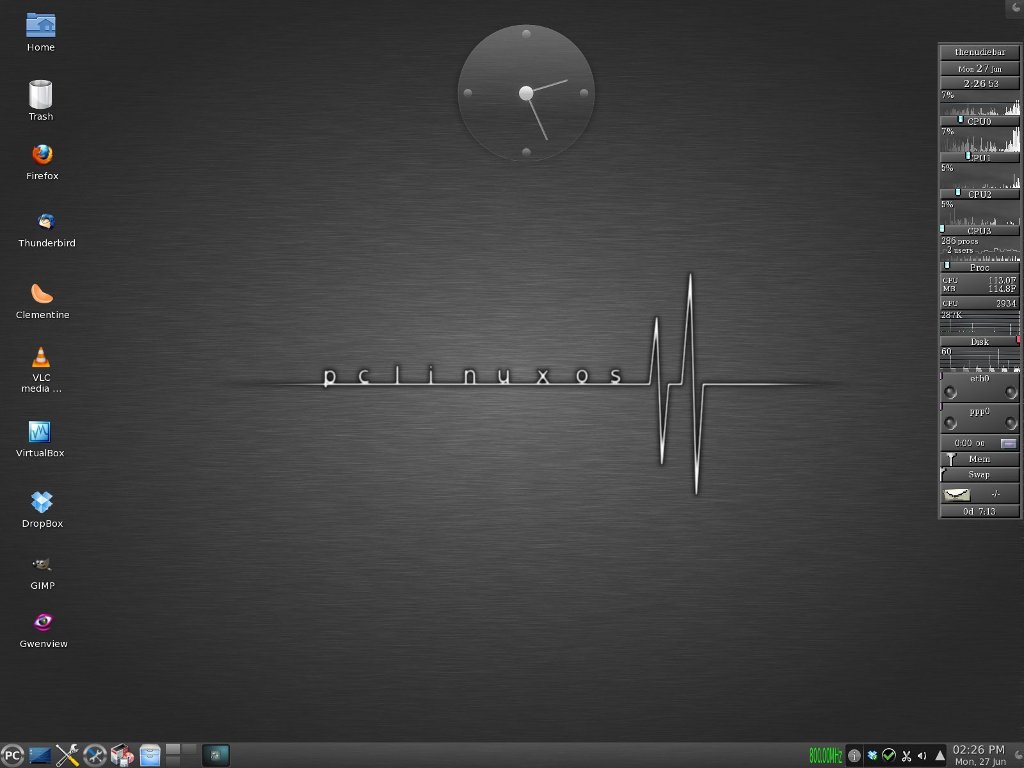
PCLinuxOS KDE 2011.6 Released


PCLinuxOS KDE 2011.6 for 32 and 64 bits computers is now available for download. A 64 bit only release will be available in the coming weeks. PCLinuxOS KDE 2011.6 features the following updates.

What’s new in PCLinuxOS KDE 2011.6:-

Kernel – The kernel was updated to version 2.6.38.8. Additional kernels are available from our repositories such as a PAE kernel for computers with more than 4 gigs of memory. A BFS kernel for maximum desktop performance and a standard kernel with group scheduling enabled.

Xorg - Xorg server was updated to version 1.10.2. Mesa updated to 7.10.3 and libdrm to version 2.4.26. This update brings enhancements to the PCLinuxOS desktop including speed, 3D desktop support for most Intel, Nvidia and AMD/ATi video cards, better font rendering, black screen fixes for most Nvidia cards, better Flash playback and more. The most recent versions of Nvidia and AMD/ATi video drivers are included on the LiveCD and automatically configured for you. The bad news is users with older legacy video cards included in most dated computers may not function properly due to many depreciated xorg video drivers.

Toolchain – Gcc software compiler was updated to version 4.5.2 and glibc updated to 2.10.1. Locales were updated to version 2.12.1.

Package Manager – RPM was updated to version 4.8.1. apt-get and the Synaptic Package Manager were also updated to work with the updated rpm packages. yum and yumex will be available in the coming weeks as an alternative package manager.

Theme Update – The 2011 release received a full makeover. PCLinuxOS features a new brush metal theme including updates to grub, plymouth, kdm, kdesplash and application splash screens. Additional themes are available as well as our previous theme from our software repository.
Theme screenshots located here: http://goo.gl/il3CG

Remastering Tools – mylivecd was updated to work with the latest release. mylivecd added the ability to install PCLinuxOS from the boot menu without having to go to the desktop first. There are 3 compression schemes available now for remastering your installation. xz maximum compression, xz normal compression and gzip for fast compression. xz max takes longer to generate the LiveCD but produces the most compressed image where as gzip will create a LiveCD fairly quick but the compressed image will be larger. mylivecd can also generate a LiveDVD with up to 4 gigs of compressed data. Usually a 10-12 gig installation will compress into a 4 gig DVD.

Software – PCLinuxOS 2011 LiveCD come with the latest versions of most popular programs such as KDE 4.6.4, Firefox 5.0, Thunderbird 3.1.11, Pidgin 2.9.0, VLC 1.10.0 and Clementine 0.7.1 just to name a few. OpenOffice Manager has been replaced with LibreOffice Manager. Due to the limited size of the LiveCD the office suite is not included but can be installed through the LibreOffice Manager either in LiveCD mode (3 gigs memory required) or preferably after hard drive installation. Addlocale has updated translations and can convert a PCLinuxOS installation into over 70 different languages. The software included on the LiveCD was based on community feedback as to what the PCLinuxOS users wanted to be included by default.
A complete package list of what is available on the LiveCD can be found here.

SHARE OUR NEWS DIRECTLY ON SOCIAL NETWORKS:-

in one week 2 Linux distribution (fedora 15 & Linux Mint 11)


It's not every week that sees the launch of a major release from one of the most popular Linux distributions. This week, however, we've had the benefit of not just one but two such landmark debuts.

Fedora 15, or "Lovelock," and Linux Mint 11, or "Katya," both made their grand entrances onto the world stage in the past few days, giving users of the free and open sourceLinux operating system yet more compelling options to choose from. Wondering what you'll find in these new releases? Here's a rundown of some of their key new features.


Fedora 15 'Lovelock'

As promised previously, the final release of Fedora 15 launched on Tuesday to a global audience of fans eager to check out its implementation of the GNOME 3 desktop. Linux desktops are a particularly critical subject, of course, now that the default Unity desktop in Ubuntu 11.04 "Natty Narwhal" has proven so controversial, and the Fedora team announced that it was abandoning its own Unity efforts some time ago. GNOME 3 may be slightly less controversial, but it's still generating a lot of discussion. Other key new features in this latest release from Fedora--which is currently the third most popular Linux distribution, according to DistroWatch--are the availability of the Btrfs filesystem as a menu item in the installer and better crash reporting. A redesigned SELinux troubleshooter is also a part of the new release, as is higher compression in live images. Lovelock features better power management as well, thanks in part to a daemon that tunes system settings dynamically to balance between power consumption and performance. LibreOffice and Firefox 4 are now included, while updates for systems administrators include a dynamic firewall, more consistent network device naming and the BoxGrinder appliance creator. A full list of features is available on the Fedora site, where the new release is also available for free download.
Linux Mint 11 'Katya'
Behind only Ubuntu in popularity on DistroWatch's list, Linux Mint is a very user-friendly Ubuntu-based distribution, as I've noted before. This new release, meanwhile, has been widely anticipated as an alternative option for those who aren't enchanted by Ubuntu's Unity. Released on Thursday, Linux Mint 11 "Katya" uses neither Unity nor GNOME 3; rather, the project developers chose to stick with GNOME 2.32 instead, providing a comfortable and familiar option for fans of that desktop environment. The software is still based on Ubuntu 11.04, however, and features one-click installation of multimedia codecs and extra applications. The Software Manager has been enhanced with user interface improvements, a new splash screen and better search capabilities, while the Update Manager offers better performance as well as improvements to its user interface. Improvements to the Desktop Settings tool make it more "desktop-agnostic," the project team says, while system improvements include a new "apt download" command and Adobe Flash plugins. LibreOffice, gThumb and Banshee are among the default applications in Katya, which is available for free download on the Linux Mint site. 


SHARE OUR NEWS DIRECTLY ON SOCIAL NETWORKS:-

Related Posts Plugin for WordPress, Blogger...