Showing posts sorted by relevance for query Chromium. Sort by date Show all posts

Fuduntu 2012.1 (Fedora-based Linux Distro)


Fuduntu has released version 2012.1, the first release under their new numbering system where they have the year first then followed by release version. The Fuduntu quarterly installation ISO image (2012.1) is now available for download. As with all Fuduntu releases, this release continues the older tradition of small incremental improvements. It is important to note that existing Fuduntu users will roll up to this version through the normal update process, and do not need to download or install from this media to benefit from this release.

Brief Overview:-

Fuduntu is a Fedora-based Linux distro created by Andrew Wyatt, designed to fit in somewhere between Fedora and Ubuntu, hence the name. The main features of this latest release is an updated Linux Kernel - to 3.1.6, Chromium 16 and Adobe Flash Player 11.1.102.55.  It is designed to be aesthetically pleasing, and is optimized for Netbook and other portable computers. Fuduntu isn't limited to portable computers however, it is a fantastic desktop distribution too.

A Few of The Default Packages Found in Fuduntu :-
  • Chromium
  • Banshee
  • VLC
  • Adobe Flash (licensed)
  • Fluendo MP3 Codec (licensed)
  • Infinality Freetype
  • Nautilus Elementary
  • Jupiter

To Download Fuduntu Click Here


SHARE OUR NEWS DIRECTLY ON SOCIAL NETWORKS:-

5 "Uncommon" Linux Distributions

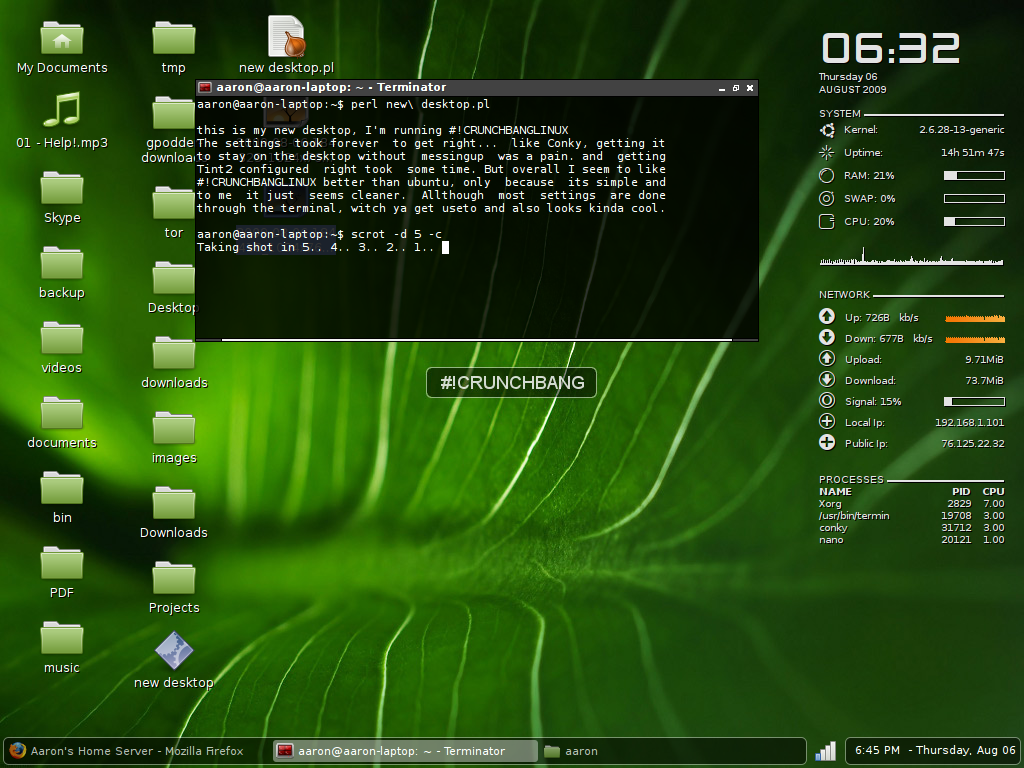
 CrunchBang

CrunchBang it's a minimalistic distribution based on Debian 6.
Why minimalistic ?
The default Desktop Environment it's Openbox, that for people used to Gnome or KDE it's a big difference, you don't have Icons, fancy graphical effects (compiz anyone? ) or even a menu in one of the corners that show all your programs.
You get a clean, black and white desktop, on the right side you have the live statistics of your resources usage, and the list of commands you can use (example, super + l to lock screen).
I've been amazed by the low use of resource of this distribution, 50 MB after you login into your desktop, so you can use all of your resource for your applications. It's also perfect for old computers with just 256 MB of Ram.
Così si pensa, ok, ma probabilmente sarà riempito con piccoli programmi inutili,niente mi può davvero usare per il mio ufficio / lavoro o tempo libero.
Wrong !
There is already a good number of software that you can use to do your usual things, like Chromium as browser or Gimp as Image Editor or VLC for the multimedia; also, as stated, this distribution is based on Debian 6, so you can have Openoffice, Mozilla 4 or many others programs.
If you have enough of the big Desktop environment this one is for you.

 Gentoo

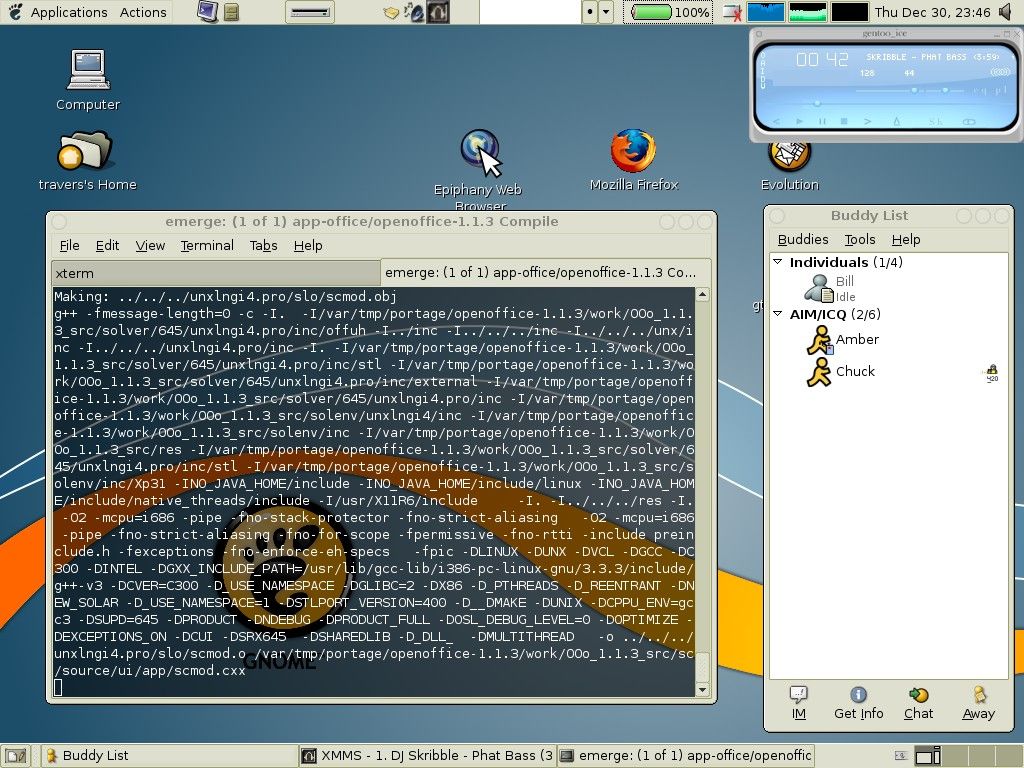
I've fall in love with Gentoo in 2004, and we are still together.
In Gentoo the binary packages are not available (there are some exceptions for big package). Each package must be downloaded and compiled on the PC of the user with the flags he has choose, so that you get from each package the best performance, or at least this is the theory.
While in the years I've saw that some of my programs have better start up time respect of precompiled distributions this is usually due to the fact that you can select every single aspect of each package, so as example you could choose that your Multimedia player support avi,ogg and divx only, so probably you have fast performance and a quick startup time but less codec; so for me the main attractive of Gentoo is total customization, and after that speed.
In any case, the good thing is that each new update is released when available. This approach makes Gentoo a distribution always updated, this distribution don't has release cycle like Ubuntu and Fedora, but is called "rolling" it means that it's constantly updated.
For example i keep the same installation from 2004 to 2008 on my previous computer, just updating packages when they come out, and during all that time i moved from kernel 2.4 to 2.6 and made a lot of change in every package, still the distribution keeped it's consistency.
The package management is efficient and easy to use. On the other hand, the installation of newsystems and large packages can be very tedious, even with a very fast processor, so if you want to approach this great distro...take your time, be patient and at the end you'll have learnt a lot more of GNU/Linux.

 Pinguy OS

 
it's more or less the opposite of Gentoo, a distribution to make things easy to the beginners.
This OS is for people that have never used Linux before or for people that just want an out-of-the-box working OS without doing all the tweaks and enhancements that everyone seems to do when installing a fresh copy of Ubuntu or other Linux based Distro's. 
So all the programs in Pinguy OS have been chosen because of their ease of use and functionality, I also changed every file type to open with the right program, like for some reason by default .iso are opened with Archive Manager so I changed that to Brasero Disc Burner.
All the multimedia codecs are there. So there is Oracle Java and Adobe Flash player.

Pinguy OS also helps reduce your carbon footprint because it runs Granola in the background. Granola is a free tool that helps reduce the power consumption of your computer without affecting its performance. 
So this distro is really suggested if you are not used to Linux or don't want to spend time in tweaking/configuration


Aptosid

 
is an operating system based on the Debian GNU/Linux unstable branch, codenamed sid. The project stems from criticism by users of Debian Linux newbies (too difficult toinstall, configure and maintain, requiring the use of console commands or editing configuration files) are the basis of Aptosid, whose purpose is to offer tools and support to make Debian Sid easy to configure and stable enough for the user desktop for the professional. Aptosid supports 32 and 64 bit architectures, graphical user interface KDE or Xfce, lite or full version.
The full ISO is around 2gb, but it has really everything, both for new and expert users. Despite its size, loading from a live dvd is really fast and stable, just like his distro "mother" Debian.
if you like Debian, but want updated software this is a good choice for sure.


Bodhi Linux

 
This is a fresh new project, Bodhi is a minimalistic, enlightened (the Desktop Environment), Linux desktop. Bodhi is built on top of an Ubuntu 10.04 core, using the latest, elegant Enlightenment desktop, all accessed by the light weight LXDM login manager. Bodhi uses dpkg and apt-get for package management.
Bodhi Linux is a very minimal Ubuntu based Linux distro with Enlightenment(E17) as the default desktop(window manager). Standard ISO size is just around 350MB and the latest release is based on Ubuntu 10.04 "Lucid Lynx". System requirements will tell you the whole story. Bodhi Linux requires just 1.5GB HD space, 300mhz i386 Processor and just 128MB of RAM! Thats how minimal things can get.
One of the first things you are going to notice while logging into Bodhi Linux is a prompt that will ask you to choose the theme and the applications you would like to have in your desktop as default.
Dock application at the bottom is called “Shelf” and like Docky or AWN, Shelf is quite easy to use and configure. Bodhi Linux has Nautilus as the default file browser and also has Synaptic Package Manager as a default option. Nautilus in Bodhi Linux is already powered by awesome Nautilus Elementary hack.

SHARE OUR NEWS DIRECTLY ON SOCIAL NETWORKS:-

Knoppix 7.0.1 With Kernel 3.3.7, LXDE, ADRIANE & Iceweasel 10

Knoppix 7.0.1 With Kernel 3.3.7, LXDE, ADRIANE & Iceweasel 10

Klaus Knopper, creator of Knoppix officially declared the general availability of its popular Live Linux distribution - Knoppix 7.0.1. This release includes a number of improvements and package upgrades, while removing proprietary packages, such as Adobe Reader. Version 7.0.1 of Knoppix is based on the usual picks from Debian stable (squeeze) and newer Desktop packages from Debian/testing and Debian/unstable (wheezy). It uses kernel 3.3.7 and LXDE (Lightweight X11 Desktop Environment) as its default desktop environment. The DVD version of Knoppix also includes a choice of GNOME 3.4 or KDE SC 4.7.4 (the current release is KDE SC 4.8.3 from early May), and additional packages such as VirtualBox 4.1.4. Package upgrades include version 3.5.3 of the LibreOffice productivity suite, Wine 1.5.4, Chromium 18 and Iceweasel 10, the re-branded version of the Firefox web browser for Debian. It now has version 1.4 of the open source ADRIANE (Audio Desktop Reference Implementation and Networking Environment) talking menu system for blind users. Other changes include better support for Broadcom Wi-Fi chipsets and experimental support for automatically detecting graphics cards with composite 3D extensions for the Compiz window manager. A full list of changes and new features can be found in the release notes.


To Download Knoppix 7.0.1 Click Here


SHARE OUR NEWS DIRECTLY ON SOCIAL NETWORKS:-

Linvo Linux 2010.12.6.


A new distribution flew onto my radar today and it might be interesting to take a quick look. Linvo is a Bulgarian hailed distribution based on Slackware featuring the GNOME 2.32 desktop. Yesterday, developers released Linvo 2010.12.6.
According to the Official Website of Linvo:-

Why Linvo?

● Out-of-the-box experience
● Functionality
● Software support and installation
● Easy to configure
● Live CD
● Full multimedia support
● Compatibility
● Security and stability
● Easy to use, fast and beautiful desktop!
● Only platform-independent and function-rich applications
● Innovations that improve security, practicability and speed
● Absolutely free and open source

For new distributions especially it's an advantage to ship as a live CD/DVD and Linvo does just that. Most Slackware-based distros come as install images, so Linvo got bonus points before I even booted into the desktop. But it lost one because of being available just for 32-bit architectures.
Linvo ships with Linux 2.6.36, Xorg X Server 1.9.5, and GCC 4.5.2. A starter set of applications includes Biniax, GIMP, OpenOffice.org 3.2, Shotwell, Empathy, Gwibber, Skype, Chromium, Evolution, Brasero, Cheese, VLC, Rhythmbox, and lots of utilities such as a firewall configuration. Updates and additonal software can be installed using Gslapt with Linvo and Slackware repos. Even more applications can be installed from what some might call Linvo one-click installers on the Website. From the Website:
LinvoApp

This is the most distinctive feature of Linvo: the application management system. It allows you to:
● Multi-user, every system user can use different applications for himself
● Using applications from different kinds of media without needing installation
● Compared to other systems of that kind (for example, portableapps.org), LinvoApp does not require any special repackaging for the application to be converted into the required format
● Compared to systems like Slax's modules, LinvoApp works on an installed system rather than only on LiveCD and provides automatic dependency handling
● Synchronization with the website, an ability to restore your applications if any data loss occurs or if you install a different instance of Linvo; this is also usable if you need to synchronize a group of computers with the same selection of software (for example, in schools)
● An ability to personalize the Live CD
● Unbreakable upgrades between versions - applications and settings are (optionally) kept after reinstall, so it works as well as upgrade, only much more stable

The installer is quick and easy with just a few configuration questions. It worked well with no damage to my other partitions. The only complaint I have is that it didn't give me a choice about installing a bootloader. It installed GRUB seamlessly. I had a pretty bootloader that I liked, but Linvo's did pick up all my other installs and added them to the list. It's not very pretty though. But the Linvo desktop is quite pretty. It uses an attractive but unobtrusive window decoration and theme as well as a really pretty wallpaper. I haven't tested all the applications or spent lengthy time stress-testing Linvo, but what I've seen I like. I'm impressed. For a relative newcomer, it seems to be holding its own against any other 1-CD distribution.

 To Download Linvo click Here

SHARE OUR NEWS DIRECTLY ON SOCIAL NETWORKS:-

After Google Chrome Hack Sergey Glazunov Earnd $60,000 At Pwnium Contest

Sergey Glazunov, A Security Researcher Earn $60,000 At Pwnium After Google Chrome Hack

Sergey Glazunov, a Russian security researcher has earned $60,000 by demonstrating how he could waltz past the security sandbox in Google's Chrome browser to run unauthorized code on fully-patched Windows 7 computers. Glazunov discovered a remote code execution vulnerability in Chrome, that could be used by malicious hackers and cyber criminals to install and run code on innocent users' computers, just by them visiting a website. Glazunov, who is no stranger to reporting bugs in Chrome, won his substantial reward as part of the Pwnium competition run by Google at the CanSecWest conference in downtown Vancouver.
Senior Vice President of Google Chrome and Apps, Sundar Pichai, confirmed the successful hack on his Google+ page. Now that the hack is known throughout the developer world, Pichai understandably said, “Congrats to long-time Chromium contributor Sergey Glazunov who just submitted our first Pwnium entry. Looks like it qualifies as a “Full Chrome” exploit, qualifying for a $60k reward. We’re working fast on a fix that we’ll push via auto-update. This is exciting; we launched Pwnium this year to encourage the security community to submit exploits for us to help make the web safer. We look forward to any additional submissions to make Chrome even stronger for our users.”


SHARE OUR NEWS DIRECTLY ON SOCIAL NETWORKS:-

Google Offers $1 Million For Hackers To Exploit Chrome (Pwnium: Rewards For Exploits)

Google Offers $1 Million For Hackers To Exploit Chrome (Pwnium: Rewards For Exploits)

The search giant Google is offering a huge amount (total $1 million) of reward for those who will successfully hack the Google Chrome browser at the Pwn2Own Hacker Contest taking place next week (7 March, 2012). Google will reward those successful contestants at Pwn2Own with prices of $60,000, $40,000 and $20,000 – depending on the severity of the exploits that are demonstrated on a Windows 7 machine running the browser. The Prizes will be awarded on a first-come-first-serve basis, until the entire $1 million has been claimed.
Chrome is currently the only web browser eligible for entry into Pwn2Own that has never been successfully hacked. Contestants often note the difficulty of bypassing Google’s security sandbox as a reason for this. “While we’re proud of Chrome’s leading track record in past competitions, the fact is that not receiving exploits means that it’s harder to learn and improve,” said Chris Evans and Justin Schuh, members of the Google Chrome security team. “To maximize our chances of receiving exploits this year, we’ve upped the ante. We will directly sponsor up to $1 million worth of rewards.”
Additional information can be found on the Chromium official blog.


SHARE OUR NEWS DIRECTLY ON SOCIAL NETWORKS:-

Hcon Security Testing Framework By Ashish Mistry (Information Security Researcher)


Hcon is the spirit of gaining & sharing knowledge. It is the platform for the people who want to learn and share knowledge with freedom, and of course it is the platform for me and my group to share our knowledge with the world and learn more. 

Description:-
Security testing Frameworks based on deferent bases. contains 100 of tools for perform tasks like recon ,social engineering ,  vulnerability assessment , exploitation , code auditing,  reporting , etc. currently available for windows for XP , vista, 7 and also it has a portable edition. This framework has been designed and developed by Ashish Mistry (Information Security Researcher & Trainer)

Features:-
Most of the part of HSTF is semi-automated but you still need your brain to work it out. It can be use in web developing / debugging & all IT security testing stages, it has tools for
  • Information gathering
  • Enumeration & Reconnaissance
  • Vulnerability assessment
  • Exploitation
  • Privilege escalation
  • Reporting
To Download Hcon:-


SHARE OUR NEWS DIRECTLY ON SOCIAL NETWORKS:-

'Dockster' A New Mac Malware Targeting Apple Users Found on Dalai Lama Related Website

'Dockster' A New Mac Malware Targeting Apple Users Found on Dalai Lama Related Website

Researcher at F-Secure blog has identified that A new piece of malicious software targeted at Apple users has been found on a website dedicated to the Dalai Lama. According to blog post by F-Secure -the website related to Dalai Lama is fully compromised and is pushing new Mac malware, called Dockster, using a Java-based exploit. Dockster tries to infect computers by exploiting a vulnerability in Java, CVE-2012-0507. The vulnerability is the same one used by the Flashback malware, which first appeared around September 2011 and infected as many as 600,000 computers via a drive-by download. Flashback was used to fraudulently click on advertisements in order to generate illicit revenue in a type of scam known as click fraud. Apple patched the vulnerability in Java in early April and then undertook a series of steps to remove the frequently targeted application from Macs. Apple stopped bundling Java in the 10.7 version of its Lion operation system, which continued with the company's Mountain Lion release. In October, Apple removed older Java browser plug-ins in a software update.
But still the matter of relief is that current versions of OS X are not vulnerable; users who have disabled the Java browser plug-in are also not vulnerable. F-Secure researcher Sean Sullivan said Dockster is “a basic backdoor with file download and keylogger capabilities.” Meanwhile F-Secure’s Sullivan, also said that the Dalai Lama’s site is also serving a Windows-based exploit for CVE-2012-4681, the Agent.AXMO Trojan. The Trojan exploits a Java vulnerability that allows remote code execution using a malicious applet that is capable of bypassing the Java SecurityManager. 

Please Note That: The gyalwarinpoche.com site doesn't seem to be as "official" as dalailama.com

While talking about Mac malware, then you must remember that earlier also Mac users faced such attacks when mac Trojan OSX.SabPub was spreading through Java exploits In 2011 we have also seen OSX/Revir-B trojan was installed behind a PDF, and giving hackers remote access to MAC computers, not only Revier-B also Linux Tsunami trojan Called "Kaiten"targeted Mac OS users in 2011. Also another malware named "Devil Robber" which was also make MAC users victim while stealing their personal information. In the very decent past we have seen a trojan named 'BackDoor.Wirenet.1'  apparently providing its masters with a backdoor into infected systems. It is also capable of stealing passwords stored in browsers like ChromeChromium,Firefox and Opera. For any kind of cyber updates and infose news, stay tuned with VOGH.


SHARE OUR NEWS DIRECTLY ON SOCIAL NETWORKS:-

'BackDoor.Wirenet.1' Trojan Stealing Passwords From Mac & Linux Based Systems


'BackDoor.Wirenet.1' Trojan Stealing  Passwords From Mac & Linux Based Systems

A Russian Anti Virus software company named 'Dr Web' has spotted a piece of malware that unusually targeting Macs and Linux-based systems is causing a world of trouble for those in its path. The newly found mlaware dubbed 'BackDoor.Wirenet.1' apparently providing its masters with a backdoor into infected systems. It is also capable of stealing passwords stored in browsers like Chrome, Chromium, Firefox and Opera. Furthermore, it’s also able to obtain passwords from popular applications including SeaMonkey, Pidgin and Thunderbird. Even if you don’t use any of the above mentioned software, you’re still in danger as a keylogger is bundled in the payload. Wirenet.1 installs itself into the user's home directory using the name WIFIADAPT

There are some steps that can be taken right away if you think you could be infected. Dr. Web is quick to point out that their anti-virus software will keep you protected. Another option is to simply disable communication with the control server used by the code’s author. In this case, blocking communication with IP address 212.7.208.65 should do the trick.  

Earlier also Mac users faced such attacks when mac Trojan OSX.SabPub was spreading through Java exploits In 2011 we have also seen OSX/Revir-B trojan was installed behind a PDF, and giving hackers remote access to MAC computers, not only Revier-B also Linux Tsunami trojan Called "Kaiten"targeted Mac OS users in 2011. Also another malware named "Devil Robber" which was also make MAC users victim while stealing their personal information


SHARE OUR NEWS DIRECTLY ON SOCIAL NETWORKS:-

Google Announced 'Pwnium 2' & Increased Prize Money $2m To Exploit Chrome

Google Announced 'Pwnium 2' & Increased Prize Money $2m To Exploit Chrome

Few days ago we got the result of Microsoft hosted Blue Hat Security contest, where Microsoft awarded a bunch of hackers and gave away an amount of  $260,000. Immediately after this event, Internet giant Google   has upped the ante in its industry-leading cash-for-security-bugs program with hefty bonuses and a hacking contest that will award up to $2 million worth of prizes to people who successfully exploit its Chrome browser. In the official Chromium blog, Google has announced the plan for Pwnium 2. According to a blog post by Chris Evans, Software Engineer at Google- Pwnium 2 will be held on Oct 10th, 2012 at the Hack In The Box 10 year anniversary conference in Kuala Lumpur, Malaysia.
This time, Google be sponsoring up to $2 million worth of rewards at the following reward levels:
  • $60,000: “Full Chrome exploit”: Chrome / Win7 local OS user account persistence using only bugs in Chrome itself. 
  • $50,000: “Partial Chrome exploit”: Chrome / Win7 local OS user account persistence using at least one bug in Chrome itself, plus other bugs. For example, a WebKit bug combined with a Windows kernel bug. 
  • $40,000: “Non-Chrome exploit”: Flash / Windows / other. Chrome / Win7 local OS user account persistence that does not use bugs in Chrome. For example, bugs in one or more of Flash, Windows or a driver. 
  • $Panel decision: “Incomplete exploit”: An exploit that is not reliable, or an incomplete exploit chain. For example, code execution inside the sandbox but no sandbox escape; or a working sandbox escape in isolation. For Pwnium 2, we want to reward people who get “part way” as we could definitely learn from this work. Our rewards panel will judge any such works as generously as we can. 
Exploits should be demonstrated against the latest stable version of Chrome. Chrome and the underlying operating system and drivers will be fully patched and running on an Acer Aspire V5-571-6869 laptop (which we’ll be giving away to the best entry.) Exploits should be served from a password-authenticated and HTTPS Google property, such as App Engine. The bugs used must be novel i.e. not known to us or fixed on trunk. Please document the exploit. 
We also like to give you reminder that earlier in this year Google had increased vulnerability bounties in Anniversary of Vulnerability Reward Programbe. Also PayPal, Facebook & many other has already started this paid bug bounty program.


SHARE OUR NEWS DIRECTLY ON SOCIAL NETWORKS:-

Ubuntu 11.10 Beta 2 (Oneiric Ocelot)


What is Ubuntu:- 
Ubuntu is a full-featured Linux distribution for desktops, laptops, and servers, with a fast and easy installation and regular releases.  A tightly-integrated selection of excellent applications is included, and an incredible variety of add-on software is just a few clicks away.

The Ubuntu team is pleased to announce Ubuntu 11.10 Beta 2. Codenamed "Oneiric Ocelot", 11.10 continues Ubuntu's proud tradition of integrating the latest and greatest open source technologies into a high-quality, easy-to-use Linux distribution.  The team has been hard at work through this cycle fixing bugs and introducing a couple of new features as we polish up for the release.

Ubuntu Changes since Beta 1:-

Some of the new features now available are:
A new set of community supported ARM architecture images will be available between now and the release.   The armel+ac100 for the Toshiba ac100 netbook is available for download now, and armel+mx5 targeted at the Freescale i.MX53 Quick Start development board will be available in one of the upcoming dailies. GNOME got updated to current unstable version (3.1.92) on its way to GNOME 3.2
OneConf has now been integrated into the Ubuntu Software Center to help
keep your installed applications in sync between computers.
Improved Infrastructure:-
Ubuntu 11.10 Beta 2 improves support for installing 32-bit library and
application packages on 64-bit systems. Ubuntu 11.10 Beta 2 has a new kernel based on v3.0.4.
Ubuntu Server:-
Beta 2 includes Orchestra which is a collection of the best free software services for provisioning, deploying, hosting, managing, and orchestrating enterprise data center infrastructure services, by, with, and for the Ubuntu Server. Juju (formerly codenamed Ensemble) is now available as a part of Ubuntu Server to handle service deployment and orchestration for both cloud and bare metal.  Juju has many Charms available, including OpenStack deployment. Xen hypervisor has been re-introduced to Ubuntu Server.


Kubuntu:-
Kubuntu 11.10 Beta 2 has the latest KDE software including KDE 4.7.1 Plasma Workspaces and Applications. Along with KDE 4.7.1, the new KDE Personal Information Management (KDEPIM) suite 4.7 is included, which includes the new Kmail 2. The Muon Suite 1.2 which includes Muon Software Center and Muon Package manager is now available.

For More Info :- https://wiki.kubuntu.org/OneiricOcelot/Beta2/Kubuntu


Edubuntu:-
Edubuntu's Oneiric Ocelot Beta 2 has updates to gobby-0.5 and gbrainy
version 2.
For more details
http://www.edubuntu.org

Mythbuntu:-

Mythbuntu Oneiric Ocelot Beta 2 has adapted Chromium to replace Firefox by default.  It now ships with Ubuntu Software Center.
For More info:-  http://www.ubuntu.com/testing/

To download Ubuntu Click Here


SHARE OUR NEWS DIRECTLY ON SOCIAL NETWORKS:-

Google Makes Chrome From SSL Attacking BEAST

Google has prepared an update for its Chrome browser that protects users against an attack that decrypts data sent between browsers and many websites protected by the secure sockets layer protocol. The fix, which has already been added to the latest developer version of Chrome, is designed to thwart attacks from BEAST, proof-of-concept code that its creators say exploits a serious weakness in the SSL protocol that millions of websites use to encrypt sensitive data. Researchers Juliano Rizzo and Thai Duong said they've been working with browser makers on a fix since May, and public discussions on the Chromium.org website show Chrome developers proposing changes as early as late June.
It's hard to know how effective BEAST will be at quickly and secretly cracking the encryption protecting online bank passwords, social security numbers and other sensitive data, but Google appears to be taking no chances. Rizzo and Duong have released only limited details of their attack ahead of a presentation scheduled for Friday at the Ekoparty security conference in Buenos Aires.


SHARE OUR NEWS DIRECTLY ON SOCIAL NETWORKS:-

Mageia 1 Beta 2 released

The second beta release of Mageia is now available for download and testing.

What’s new?

Lots of bug fixes and software updates! Kernel 2.6.38.4, LibreOffice 3.3.2.2, KDE 4.6.2, Firefox 4.0, Chromium browser 12.0.742.0 and many more.
We froze the software package versions last week. This means that no new, big, upstream code changes will be accepted in Mageia until our final release in June; then we will re-open the doors. We will now focus on fixing and reducing our bugs lists and refining and polishing the user experience.
We are setting up our security team so it’s ready for the final release; secteam’s job is to validate and push software security updates to your Mageia 1 installations.

SHARE OUR NEWS DIRECTLY ON SOCIAL NETWORKS:-

Chrome 23 Closes 15 Security Vulnerabilities, Promises Longer Battery Life & Added Do Not Track (DNT)

Chrome 23 Closes 15 Security Vulnerabilities, Promises Longer Battery Life & Added Do Not Track (DNT)

The searching giant Google finally included the Do Not Track (DNT) option into its first stable version of the company's browser which is Google Chrome 23. In February internet giant Google has agreed with the White House's Consumer Privacy Bill and here comes the result. Google has implemented the Do Not Track (DNT) header in its Chrome web browser.  Few months ago Microsoft made Do Not Track (DNT) facility available by default in Internet Explorer 10. Also the Redmond based software giant drew some criticism recently for its decision to enable Do Not Track by default in IE 10First it was Mozilla who proposed the Do Not Track mechanism, in Firefox in June 2011 when it released Firefox 5. The DNT option is disabled by default in Chrome and in order to turn it on, users need to go to the customization menu in the top right corner of the browser window. Then click on the Settings option in the left side and scroll down to open the Advanced Settings menu. Under the Privacy menu, check the box next to the "Send a 'Do Not Track' request with your browsing traffic" option. Once that option is enabled, the user will see a message explaining what the DNT system will do for them.
Not only DNT, with the release of Chrome 23, Google closes several security holes and promises to improve battery life for some users. For systems with dedicated graphics chips that support Chrome's GPU-accelerated video decoding, version 23 of the WebKit-based browser is said to significantly reduce power consumption. According to Google, batteries lasted on average 25% longer in its tests when GPU-accelerated video decoding was enabled compared to only using a system's CPU when streaming online videos. Version 23 of Chrome also addresses a total of 15 security vulnerabilities in the browser, 6 of which are rated as "high severity". These include high-risk use-after-free problems in video layout and in SVG filter handling, a integer bounds check issue in GPU command buffers and a memory corruption flaw in texture handling; a Mac-only problem related to wild writes in buggy graphics drivers has also been fixed. Eight medium-severity flaws including an integer overflow that could lead to an out-of-bounds read in WebP handling, and a low-risk have also been corrected. As part of its Chromium Security Vulnerability Rewards program, Google paid security researchers $9,000 for discovering and reporting these flaws. The update to Chrome also includes a new version of the Adobe Flash Player plugin which eliminates a number of critical vulnerabilities, all of which were discovered by the Google Security Team. Further information about the new features can be found in the release announcement, while a full list of security fixes is provided in a post on the Chrome Releases blog. Chrome 23.0.1271.64 is available to download for Windows, Mac OS X and Linux users. 


-Source (Google Chrome Blog, The-H & threatpost)


SHARE OUR NEWS DIRECTLY ON SOCIAL NETWORKS:-

OpenBSD 5.1 Released With Better Hardware Support & Performance

OpenBSD 5.1 Released With Better Hardware Support & Performance
Last year we got both FreeBSD & PCBSD 9 after few months we got GhostBSD 2.5 Final version. Couple of moths ago a public beta of NetBSD 6.0 get released for testing purpose. Now its the turn of OpenBS, The OpenBSD project has made version 5.1 of its free BSD-based UNIX-like operating system available to download. The latest update to the distribution comes six months after the release of OpenBSD 5.0 and includes better hardware support, performance improvements and new features, as well as package upgrades. 
Some Highlights:-
  • GNOME 3.2.1 (fallback mode)
  • KDE 3.5.10
  • Xfce 4.8.3
  • MySQL 5.1.60
  • PostgreSQL 9.1.2
  • Postfix 2.8.8
  • OpenLDAP 2.3.43 and 2.4.26
  • Mozilla Firefox 3.5.19, 3.6.25 and 9.0.1
  • Mozilla Thunderbird 9.0.1
  • GHC 7.0.4
  • LibreOffice 3.4.5.2
  • Emacs 21.4, 22.3 and 23.4
  • Vim 7.3.154
  • PHP 5.2.17 and 5.3.10
  • Python 2.5.4, 2.7.1 and 3.2.2
  • Ruby 1.8.7.357 and 1.9.3.0
  • Tcl/Tk 8.5.11
  • Jdk 1.7
  • Mono 2.10.6
  • Chromium 16.0.912.77
  • Groff 1.21 
Along with these we are getting OpenSSH 6.0, Xenocara (based on X.Org 7.6 with xserver 1.11.4 + patches, freetype 2.4.8, fontconfig 2.8.0, Mesa 7.10.3, xterm 276, xkeyboard-config 2.5 and more), OpenSSL 1.0.0f, Bind 9.4.2-P2, Gcc 4.2.1, Perl 5.12.2, Lynx 2.8.7rel.2 with HTTPS and IPv6 support, Sudo 1.7.2p8 & so on.  For additional information & to see the release note click here.

To Download OpenBSD 5.1 Click Here


SHARE OUR NEWS DIRECTLY ON SOCIAL NETWORKS:-

Ubuntu for Android - A Full Ubuntu Desktop, On Your Docked Android Phone

Ubuntu for Android - A Full Ubuntu Desktop, On Your Docked Android Phone
We have a great news for both Ubuntu & Android lovers. Canonical has announced a new product called Ubuntu for Android that will bring the popular Linux distribution to high-end Android smartphones. The product consists of a complete Ubuntu desktop experience that is intended to be installed on the device alongside the standard Android environment. Users will be able to run Ubuntu from their phone when they plug the device into a dock that connects to a keyboard and monitor. The underlying concept is similar to that of the WebTop environment that Motorola ships on the Atrix handset and other devices.
The new Ubuntu variant runs on top of the Android kernel and is designed to work well on devices with dual-core ARM CPUs. Unlike Motorola's Ubuntu-based WebTop environment, Ubuntu for Android brings a much more complete desktop stack with a number of popular applications. It also provides more comprehensive integration with the Android environment on the user's phone. The default application stack includes the Chromium Web browser, the Thunderbird e-mail client, the Gwibber social networking program, the VLC video player, and a selection of other software. The environment includes a unified contact system that will make the user's Android address book fully accessible in the Ubuntu environment. It can also detect the social network accounts that the user has configured in Android and automatically enable them in Gwibber. Further details can be found Here


-Source (Ubuntu & Arstechnica)


SHARE OUR NEWS DIRECTLY ON SOCIAL NETWORKS:-

Google Chrome Security Hole 15 Patched


Vulnerability found in the last release of one of the most popular web-browser Google Chrome 15.0.874.121. The vulnerability contains to address a high-risk out-of-bounds write vulnerability in the V8 JavaScript engine. As part of its Chromium Security Rewards programme, Google paid security researcher Christian Holler $1,000 for discovering and reporting the hole. Additional details of the vulnerability are being withheld until "a majority of users are up-to-date with the fix". The maintenance and security update to the WebKit-based browser also upgrades the V8 engine to version 3.5.10.24 and fixes a regression related to SVG in iframes.

To Download Google Chrome For Linux, Windows & Mac Click 


SHARE OUR NEWS DIRECTLY ON SOCIAL NETWORKS:-

Related Posts Plugin for WordPress, Blogger...